Feature
Best car infotainment systems: tested and rated
We wouldn’t want to be without our infotainment systems, but they can be distracting on the move. We test 20 cars to see which is the best for keeping your eyes on the road
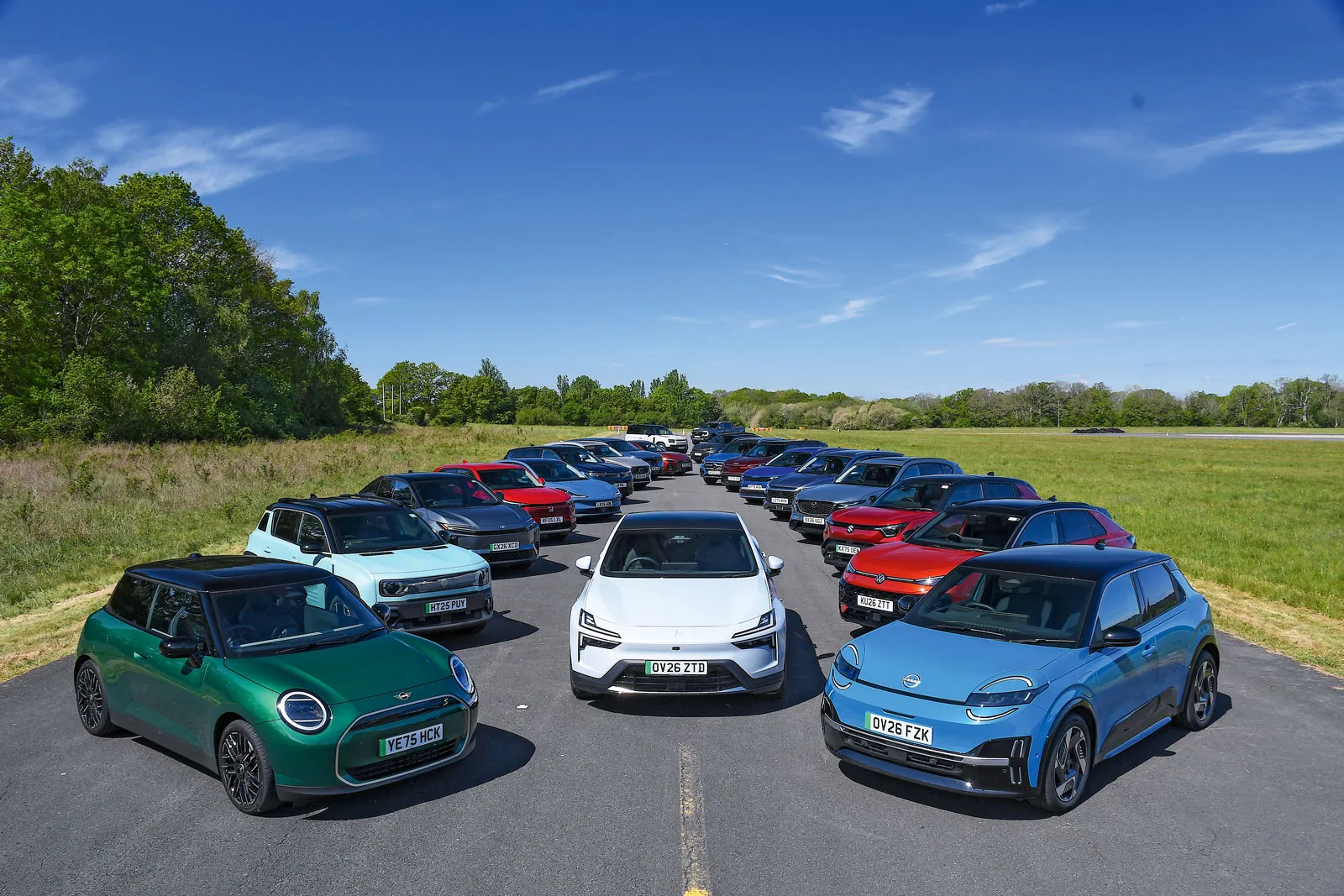
At one time, the sign of a posh car was a liberal scattering of switches and dials across its dashboard, while buyers of cheaper models were lucky to get a couple of heater controls.
advertisement
scroll for more
Times have changed, though, with the trend very much towards minimising such buttons. In fact, in some modern cars almost everything has been moved onto a central touchscreen.
The biggest recent development in car infotainment systems, meanwhile, is the arrival of increasingly intelligent voice control systems that can serve to access many frequently used functions without the need to engage with buttons or touchscreen menus. When voice control works well, it can help to mitigate distracted driving.
At present, there is no official stipulation as to when a car's systems are deemed distracting, but the general guideline followed by car makers is that the driver isn't sufficiently concentrating on driving if they have to take their eyes off the road for more than 3.5sec at a time. Although Euro NCAP is introducing distraction tests for various in-car systems, there is no Europe-wide legislation on the maximum time a driver should look away from the road in order to perform simple tasks.

Claire Evans
Updated: 8 September 2026
Car reviews
Vauxhall Corsa
New Audi Q8
Volkswagen ID Buzz Cargo electric van
View all new car reviews
However, things are more clear-cut in the US, where the National Highway Traffic Safety Administration (NHTSA) says two seconds is the maximum for any safe single glance and 12 seconds is the longest permissible time to complete any task. We've applied the 12-second overall task time limit in this investigation, so cars that don't meet that standard can't get the top five-star rating here.
advertisement
scroll for more
You can find out more about how we test infotainment systems at the end of the page, but to summarise, we performed a number of common tasks, including setting a sat-nav destination and changing a radio station. We used eye-tracking glasses to determine how distracting and how much mental effort was required for each, as well as the total time taken.
The best and worst car touchscreen infotainment systems
1. Renault: OpenR link
2. Mercedes: MBUX
3. Tesla: Tesla user interface
4. Mini: Mini Operating System 9
5. Volkswagen: MIB4
6. Audi: Multi Media Interface (MMI)
7. Mazda: Mazda Connect
8. Peugeot: i-Connect Advanced
9. Volvo: Volvo Car UX
10. BMW: Panoramic iDrive
11. Polestar: 15.4in Centre display
12. Land Rover: Pivi Pro
13. Vauxhall: PureConnect
14. Kia: Connected car Navigation Cockpit
15. Genesis: Connected Car Integrated Cockpit
16. Toyota: Toyota Audio Multimedia
17. BYD: 12.8in touchscreen
18. Ford: SYNC 4A
19. MG: ISmart Connected Suite
20. Suzuki: Integrated Display System
21. Honda: Connect
Best car infotainment system reviews
advertisement
scroll for more
1. Renault 4: OpenR link
Overall score 5 stars
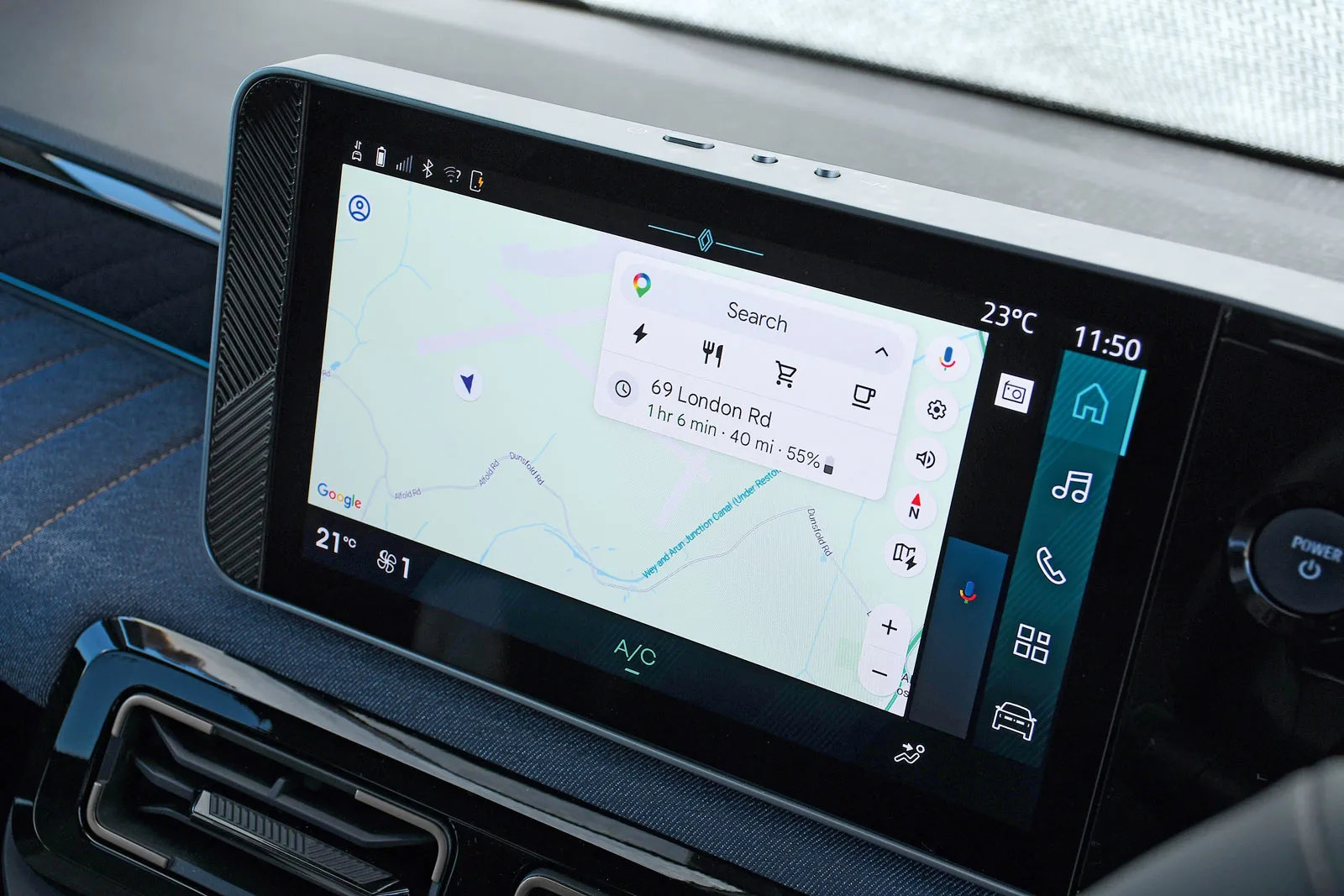
The Renault 4's 10.1in touchscreen sits high up on the dashboard and is angled towards the driver, making it easy to see and reach. It's also responsive to inputs and relatively simple to use.
With Google built in, it provides a highly competent voice control system that worked well for altering the temperature and changing the radio station. It also recognised our sat-nav destination and only needed one voice command to get started. It's useful that ending navigation also works well via voice control.
Our test car had no heated seats, so we tried the windscreen demister instead. The first attempt told us how to look up information on it online, but a second attempt with slightly altered wording brought the demister into action.
If you don't want to use voice control for the air-con, there are physical switches below the screen. They're easy to reach and respond swiftly.
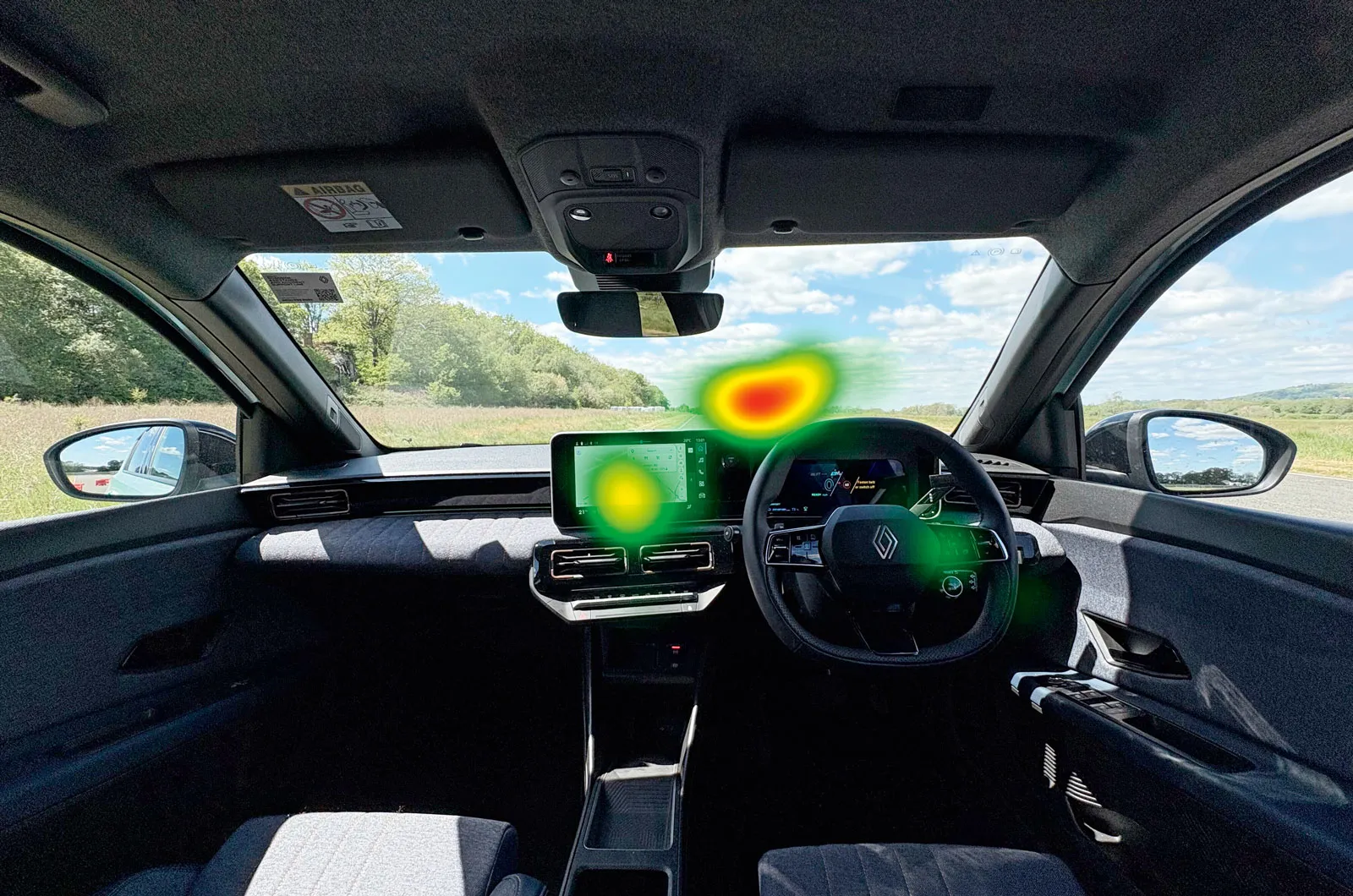
The heatmap, above, shows that the driver was able to concentrate on the road ahead while performing the tasks and spent comparatively little time looking at the screen.
advertisement
scroll for more
2. Mercedes GLB: MBUX
Overall score 5 stars
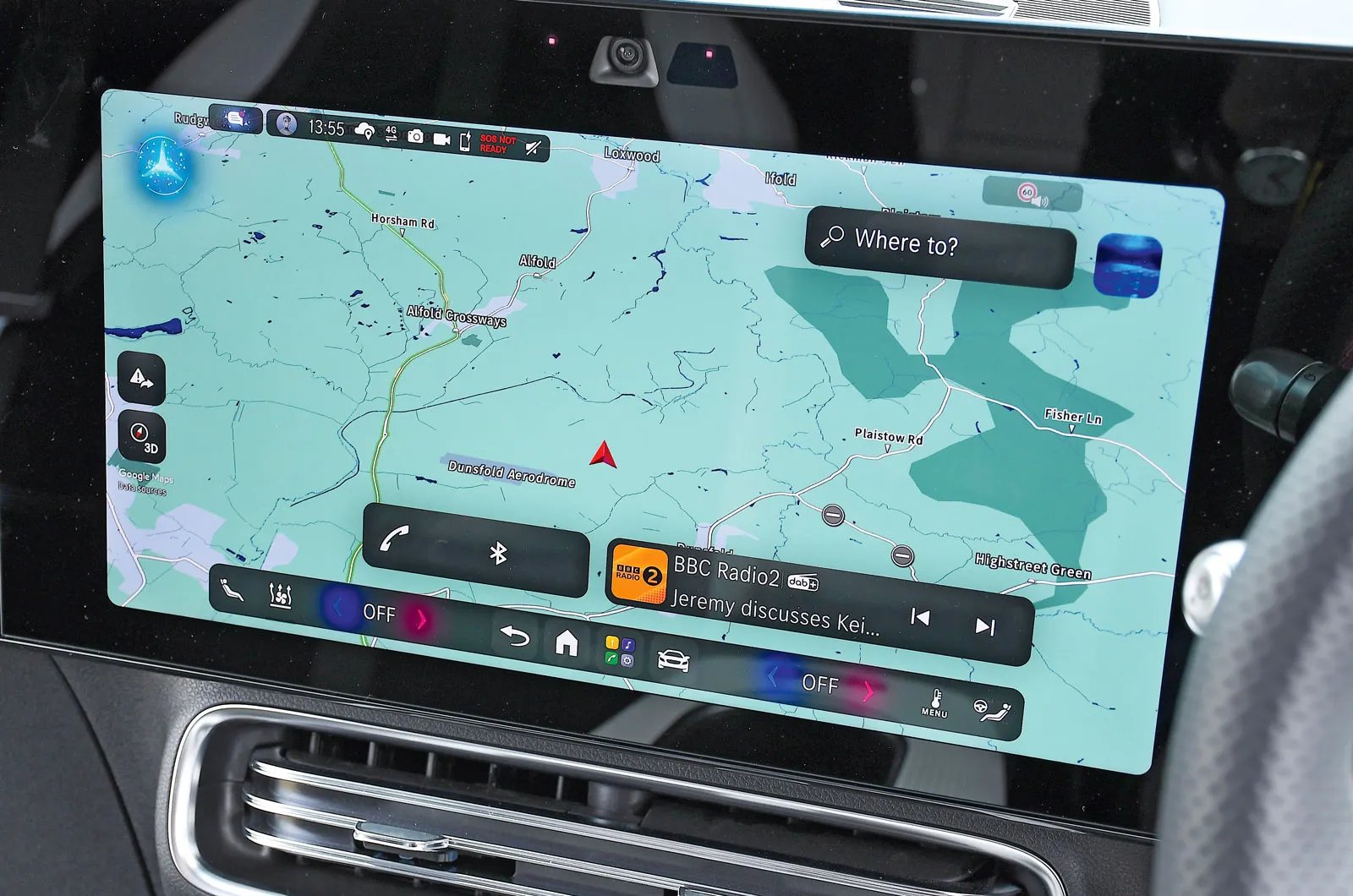
The GLB comes with a 14.0in touchscreen, and on higher trim levels, there's a 14.0in passenger touchscreen beside it. It's fitted with the latest Mercedes system, which is the first to use AI from Google and Microsoft; it automatically selects the most appropriate one for every task.
Its voice control system breezed through all four of our tests, showing only a slightly delayed response to the sat-nav request, but still completing it and starting navigation after a single command.
Voice control is started by saying "Hey Mercedes", or by pressing an icon in the screen's top right corner – a bit more of a stretch than a steering wheel button.
There are some physical buttons below the screen, but not for temperature or seat heating, so you have to use the icons at the bottom of the screen to access these. They include temperature arrows that aren't as intuitive to use as physical dials would be.
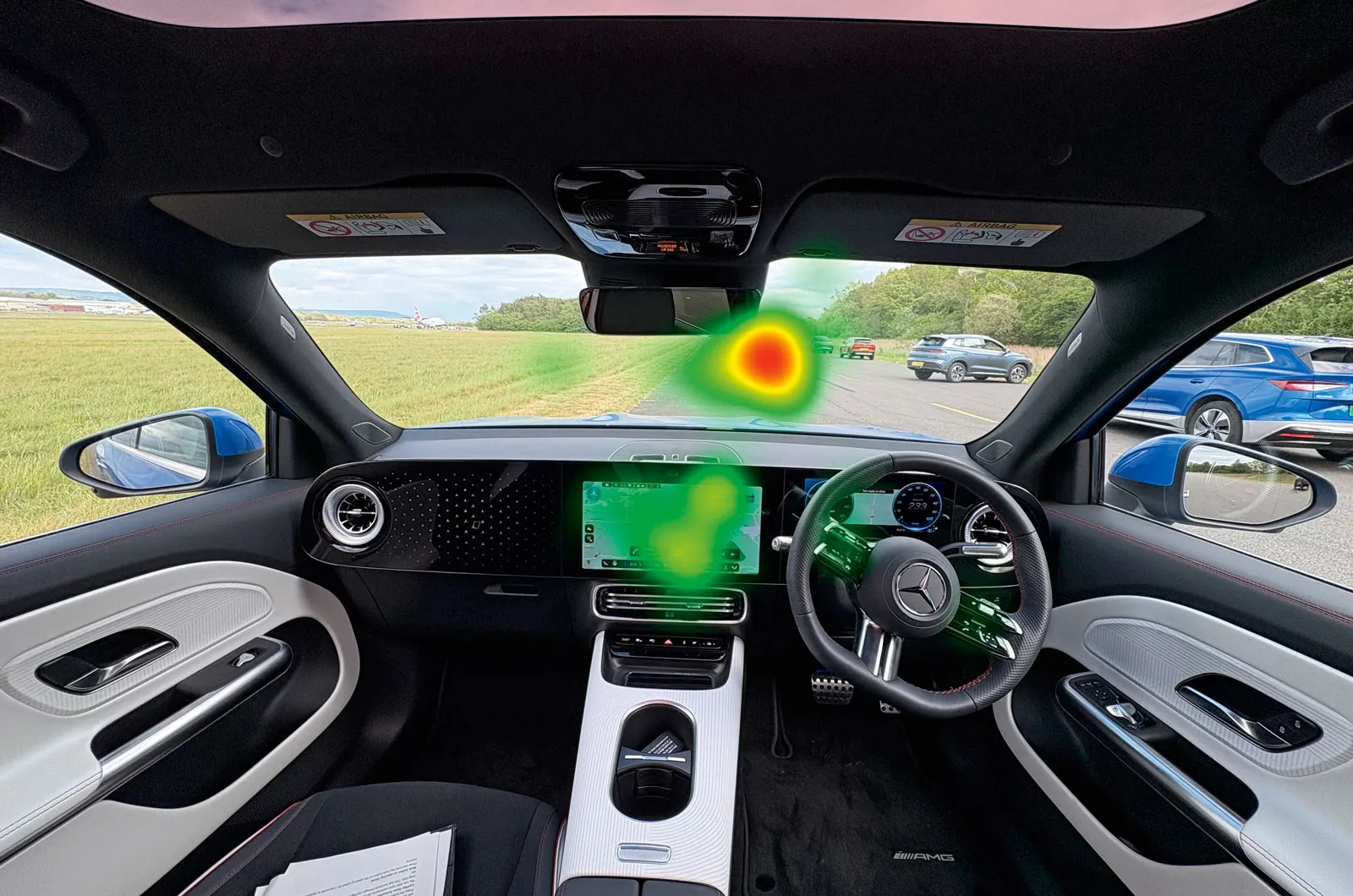
The heatmap shows that our tester glanced at the screen to check the voice control system, but was never absorbed by it.
advertisement
scroll for more
3. Tesla Model Y: Tesla user interface
Overall score 5 stars
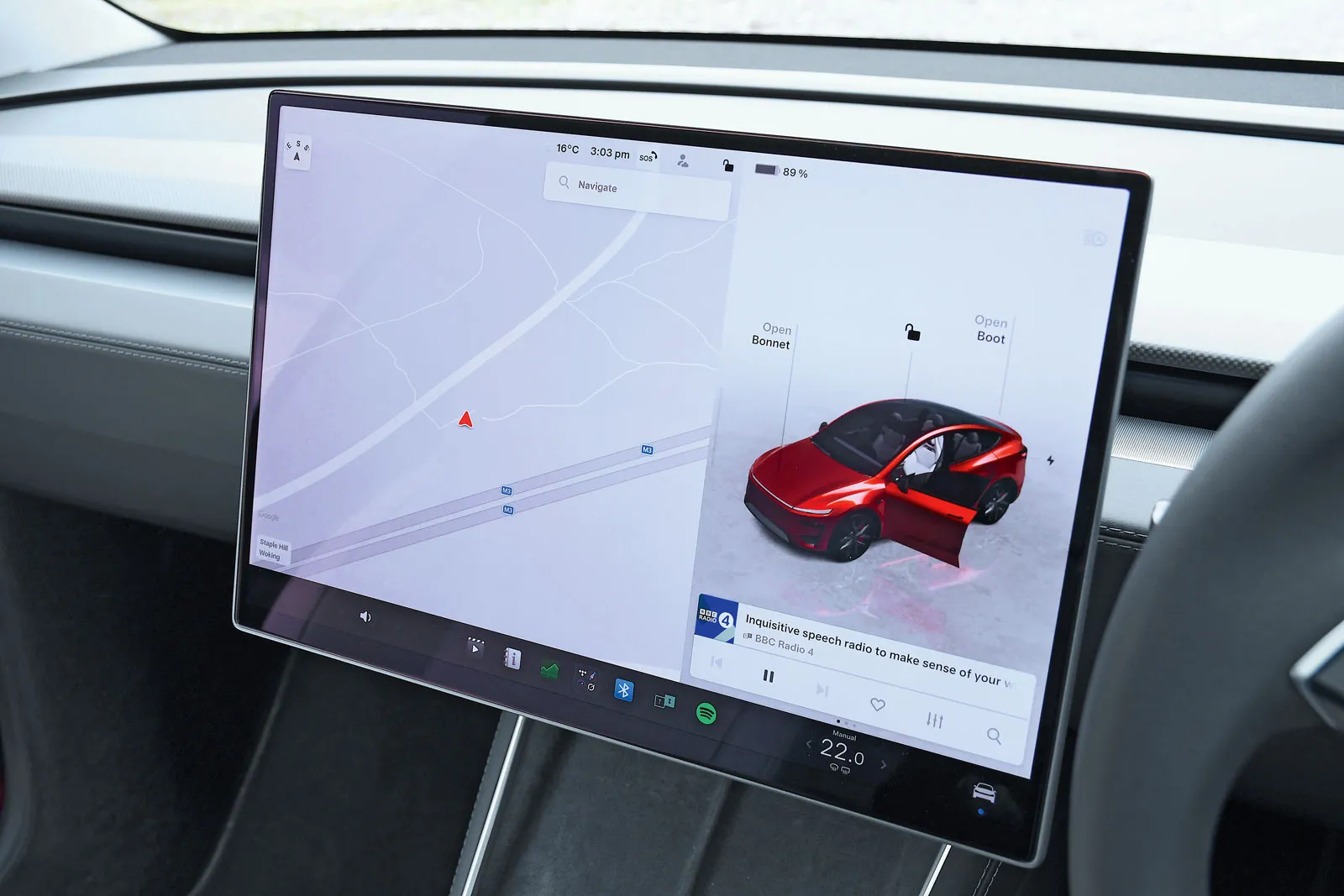
The Model Y's 15.4in infotainment screen is bright and quick to respond to prods. The voice control has two levels: basic and Tesla's Grok AI system. We chose the former for our tests, and it worked well with the temperature and radio station changes, and for the sat-nav. For this, we simply stated the destination and – while it was slightly slower to respond than the very best systems – it started navigation after one command.
The only area it struggled with was the seat heating. It didn't understand our initial command, but when we asked it to warm up the driver's seat, it turned the heating on to the lowest setting. We weren't able to find a command to switch it from off to full power.
Shortcuts to various functions can be set up on the screen. It's a shame, though, that you have to use the screen if you want to alter the seat lumbar adjustment or the position of the exterior mirrors.
advertisement
scroll for more
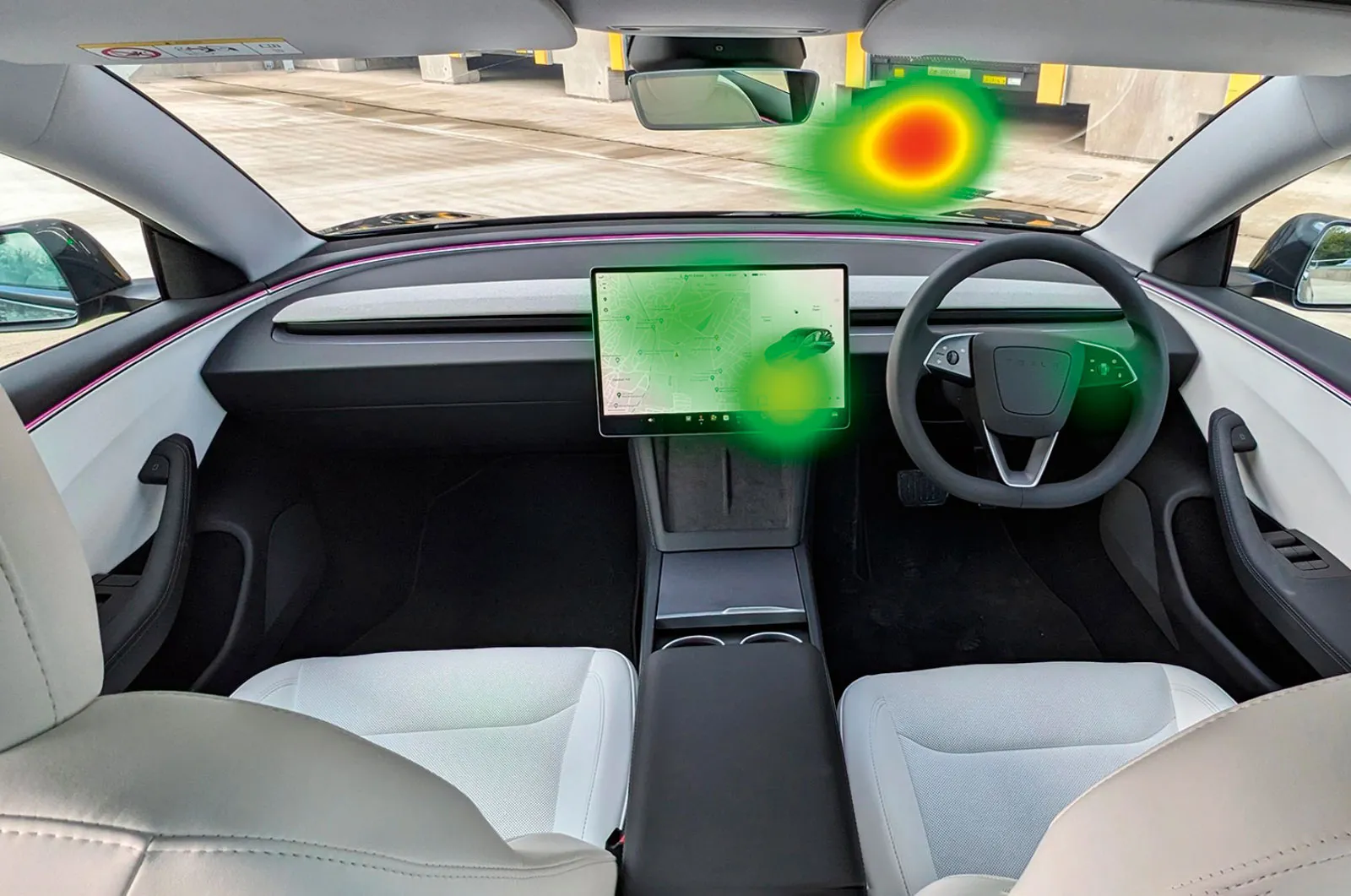
Although our tester glanced at the screen repeatedly, at no point in our test was it deemed absorbing enough to be distracting, as the heatmap shows.
4. Mini Cooper Electric: MINI Operating System 9
Overall score 4 stars
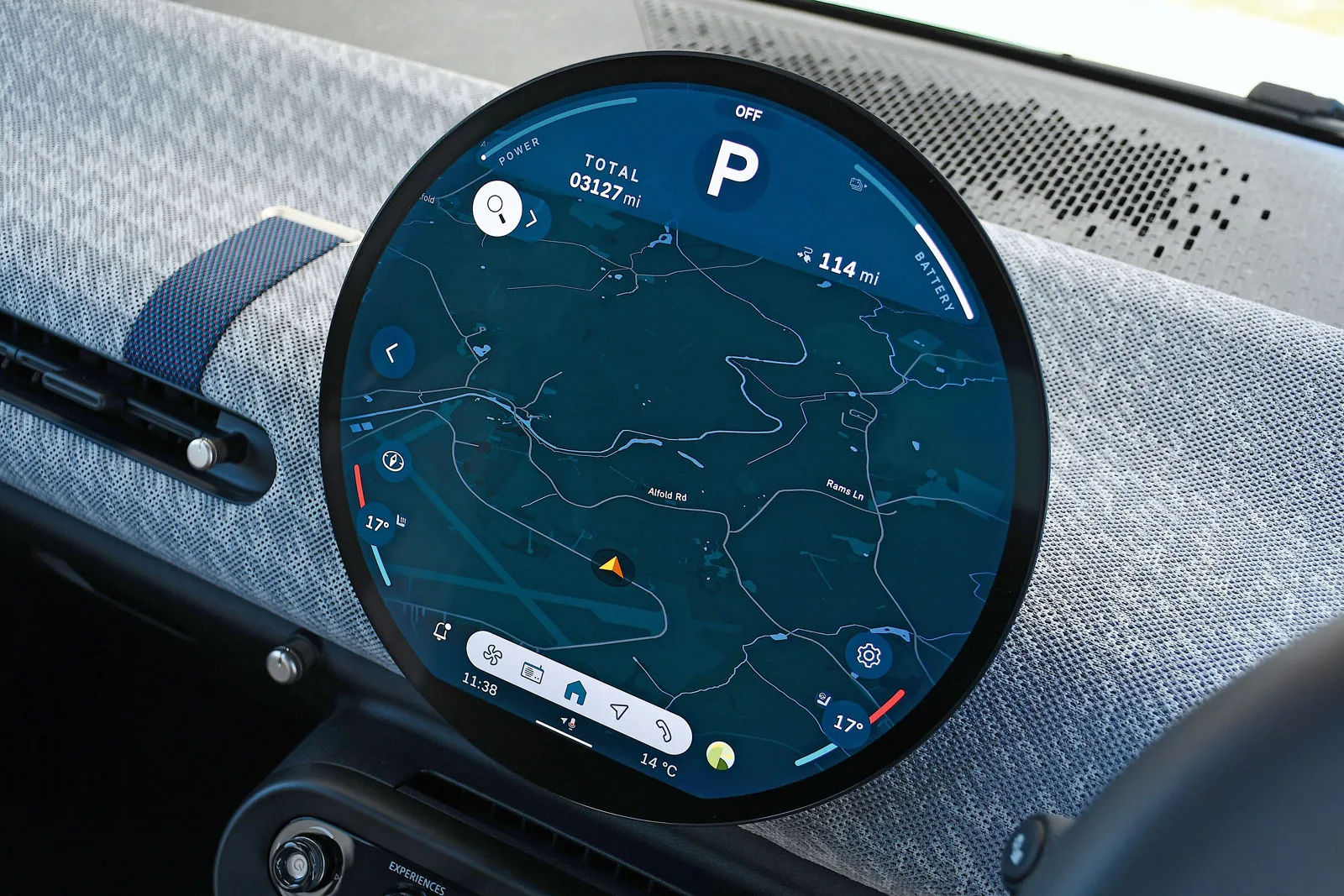
The Mini Cooper's infotainment system has an OLED screen, which is usually only seen in pricier models and is said to provide crisp graphics and swift response times. It operates on BMW's Google-based Android Open Source Project software, which provides a highly competent voice control system.
It completed our heated seat, radio station and temperature change tests with ease. When setting the sat-nav destination, though, it came up with two onscreen options for the location and we had to pick one verbally before navigation started. The screen was more distracting than the best, too.
If you don't want to use the voice control to adjust the temperature, there are large bars on each side of the circular screen that are easy for the driver and passenger to reach.
advertisement
scroll for more
However, with no physical buttons for the task, you have to tap on the climate menu at the bottom of the screen to access the settings for the heated seats.
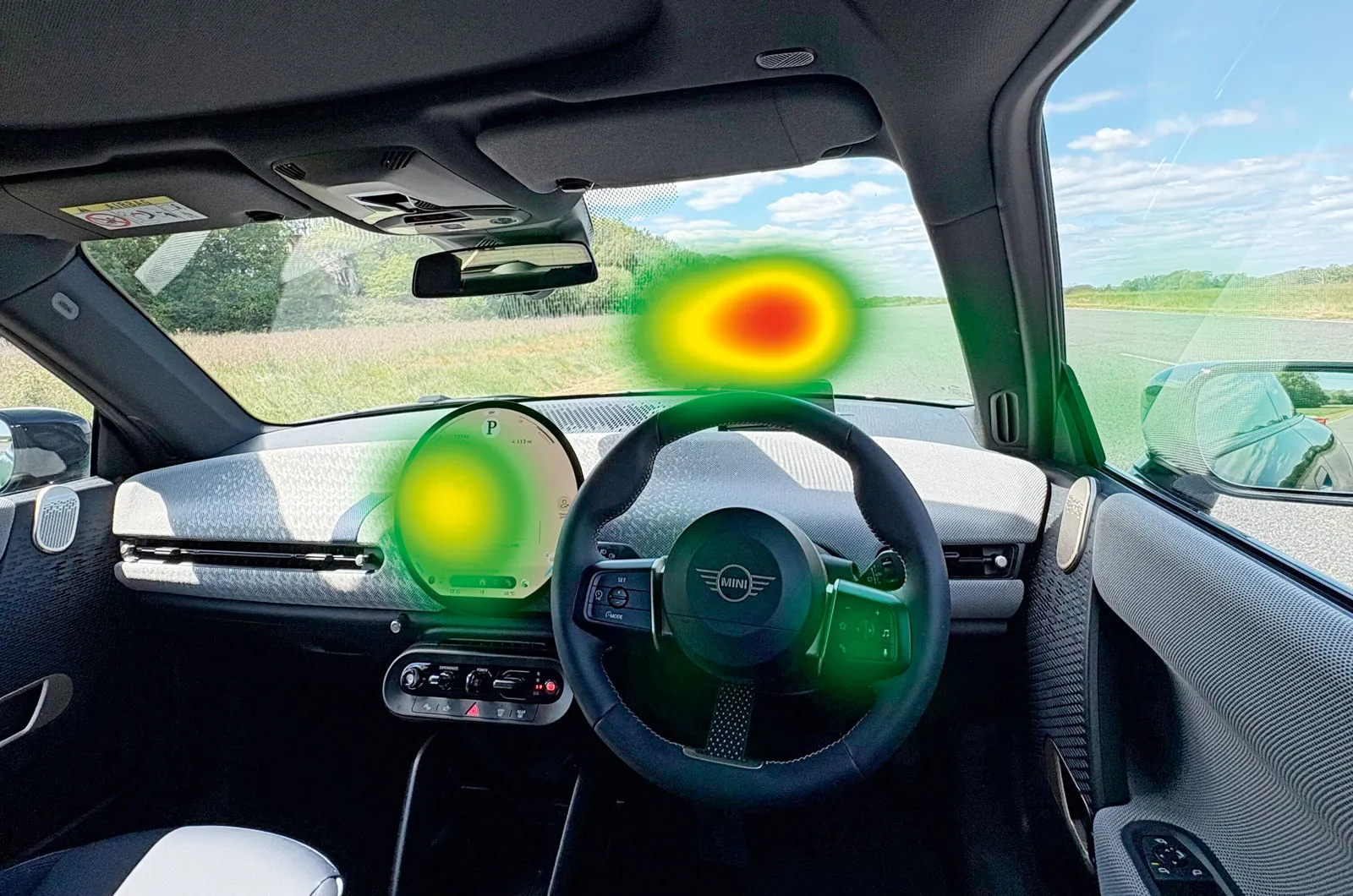
We spent a little more time looking at the screen than we did with the best systems, and completing tasks required more mental effort.
5. Volkswagen T-Roc: MIB4
Overall score 4 stars
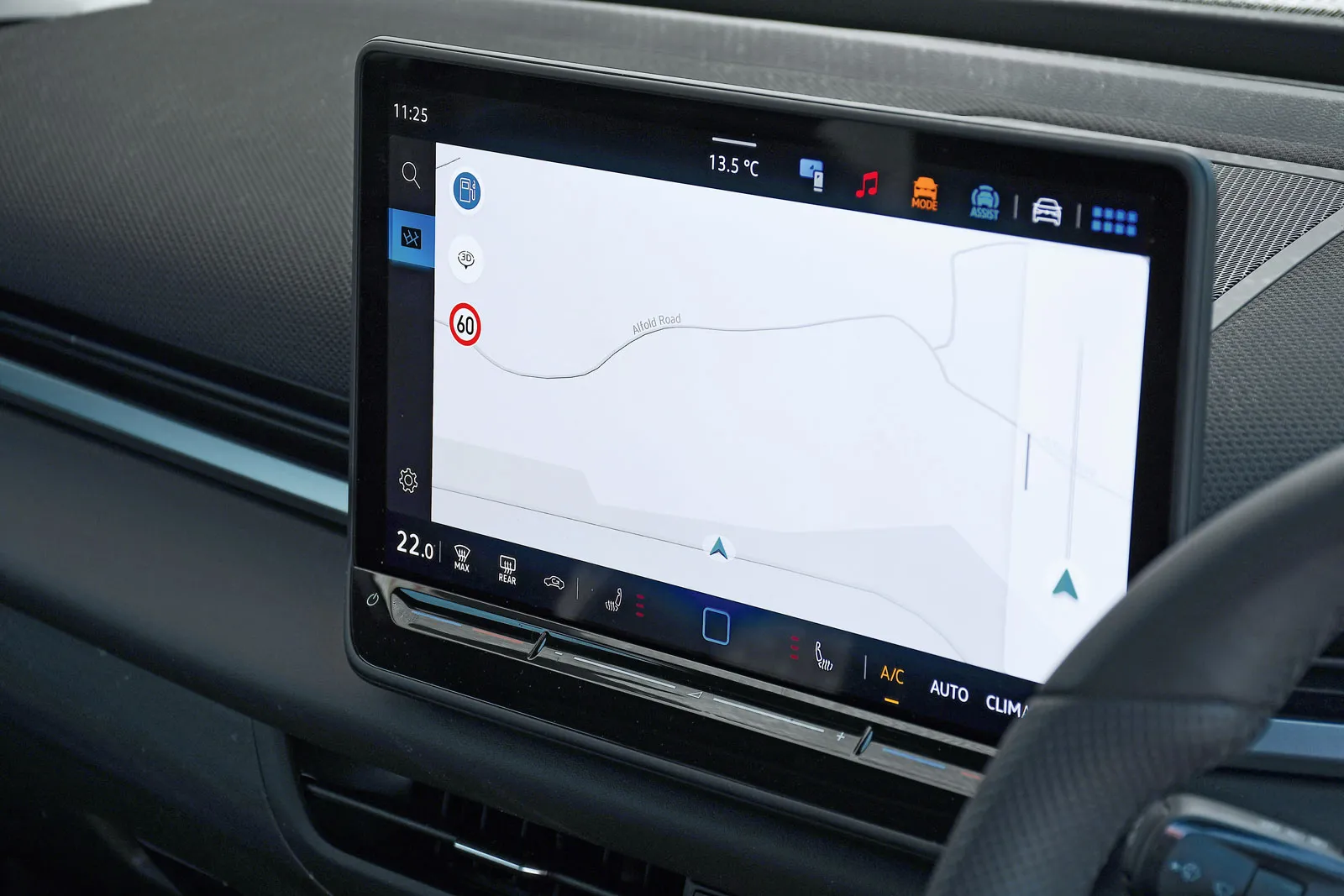
The T-Roc has Volkswagen's latest infotainment system, with a 12.9in touchscreen. Its AI-backed voice control is excellent at understanding natural speech commands and can act on a wide range of verbal requests.
It swiftly altered the temperature and heated seats when asked, and the sat-nav recognised our address and started navigation guidance to it straight away without needing any secondary commands. But it struggled with the radio station change, requiring two attempts before it took us to Radio 4, and taking longer than 12 seconds.
If you don't want to use the voice controls, there's a one-touch heated seat icon at the bottom of the screen. Below this are sliders for interior temperature, but these aren't as intuitive to use as regular switches or dials.
advertisement
scroll for more
It's worth noting that users can add icons for their most frequently used functions to the bar at the top of the screen.
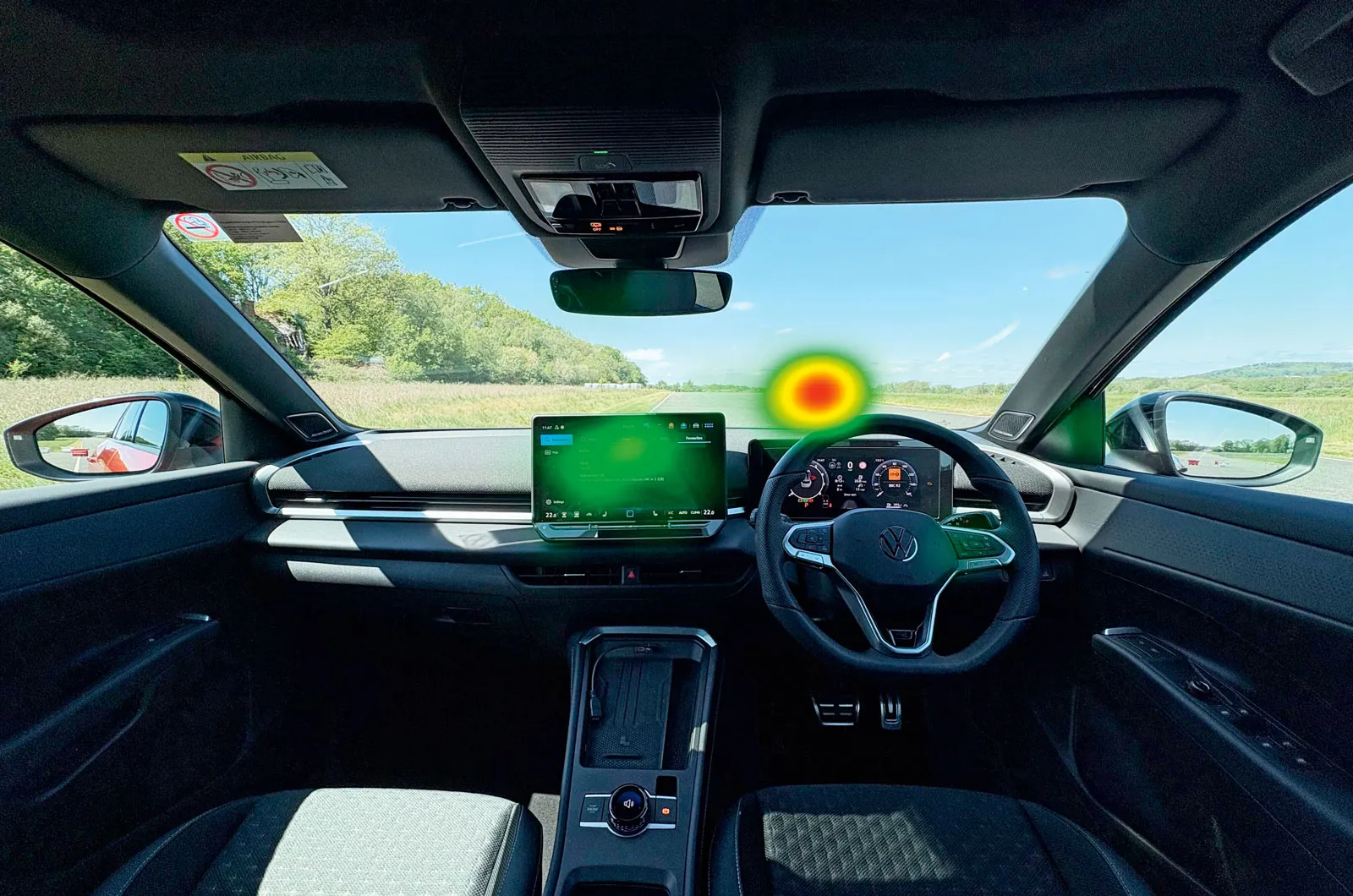
The use of the voice control for all tests resulted in minimal screen viewing, letting the driver focus on the road, as the heatmap shows.
6. Audi A5: Multi Media Interface (MMI)
Overall score 4 stars
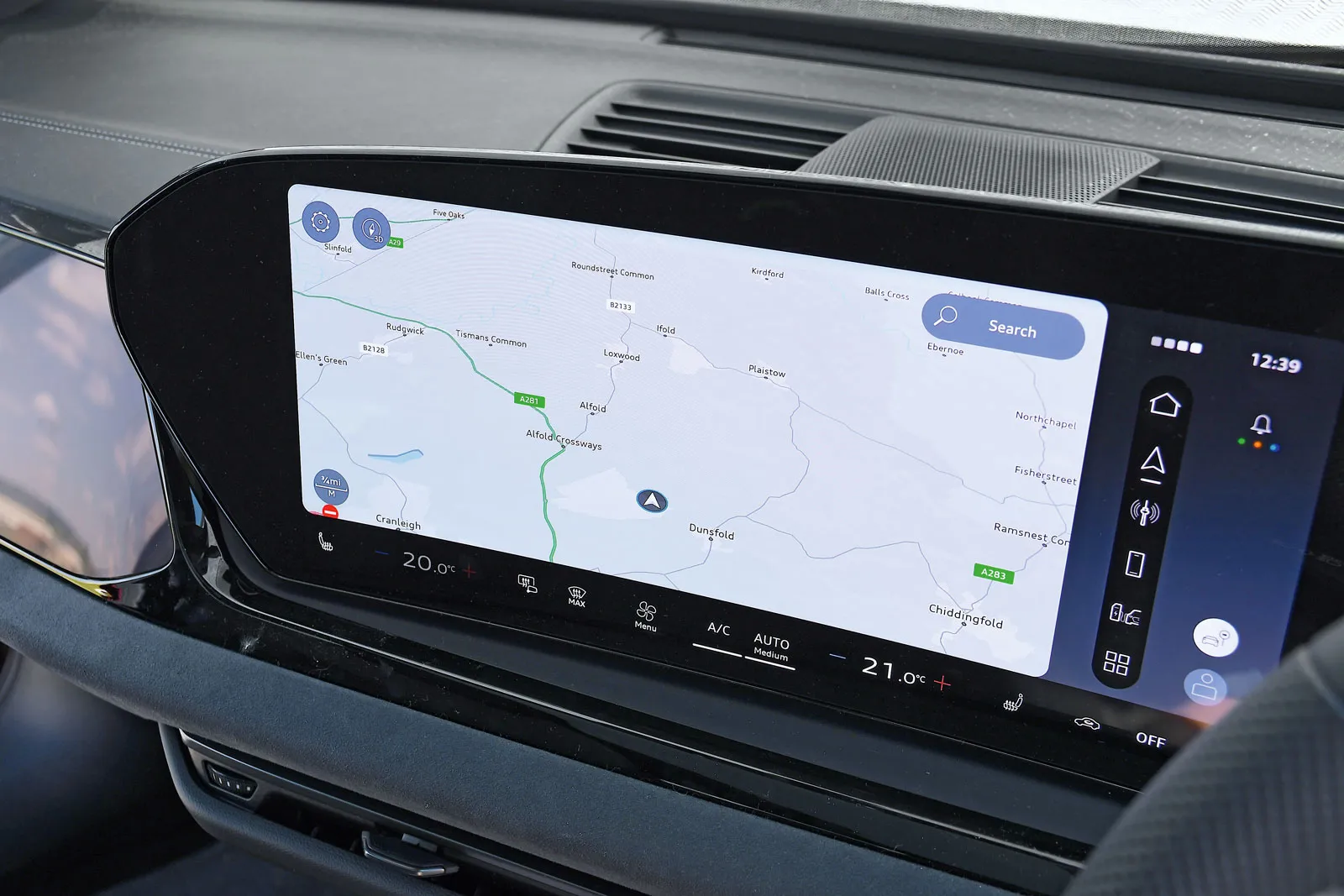
The A5 has a 14.5in infotainment screen that abuts the digital driver's display, so the pair look like a single, continuous unit.
Three of our four tests worked well using the voice control: air temperature, heated seat and satnav programming. The system was fairly slow to react, though, and the responses were quite chatty and more time-consuming than from the best systems.
The sat-nav held things up by giving two address options instead of simply starting guidance, but it got going once we'd chosen one verbally.
We couldn't get the voice control to complete the Radio 4 test; it repeatedly took us to an incorrect DAB station, but finding R4 manually wasn't too difficult, helped by the big on-screen icons.
advertisement
scroll for more
There are permanent icons below the touchscreen for the heated seat and temperature controls, and they're pretty easy to use with a single tap.
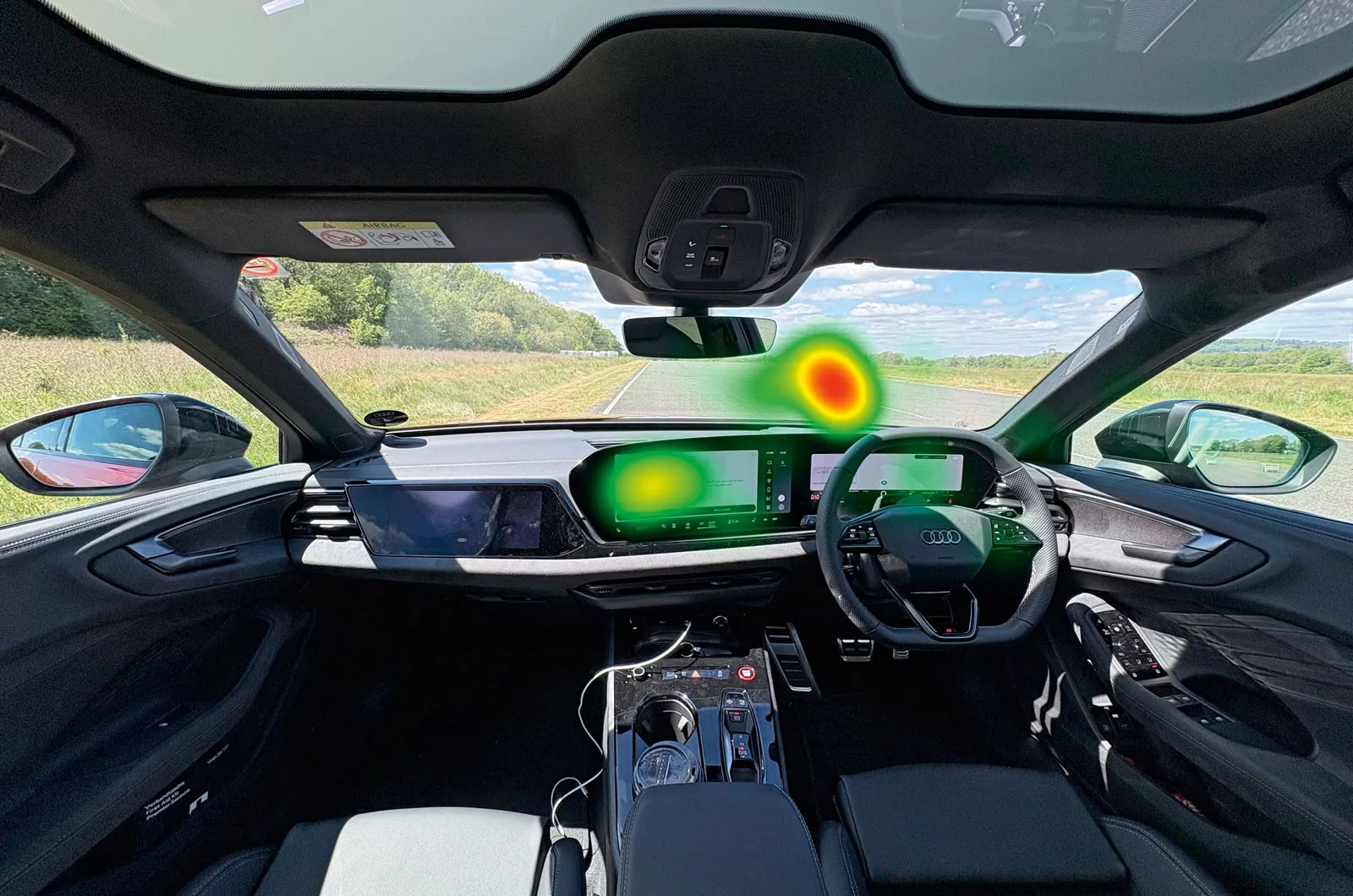
Having the main touchscreen menu on the left means the driver has to look farther from the road when using it, as can be seen on the heatmap.
7. Mazda CX-5: Mazda Connect
Overall score 4 stars
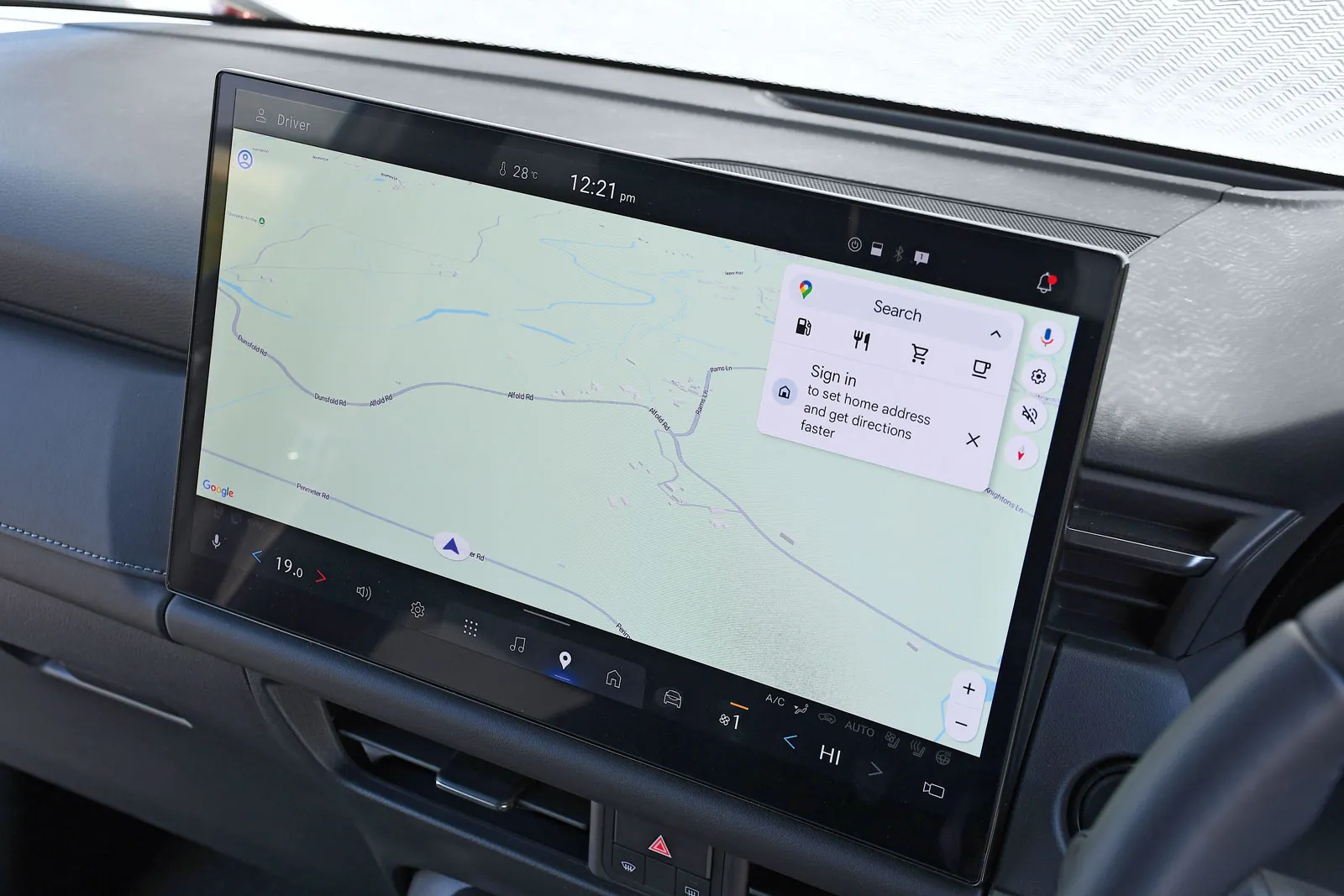
Most versions of the CX-5 come with a 12.9in touchscreen; our top-spec Homura test car has a massive 15.6in screen.
Underpinned by Google, the Mazda Connect infotainment system is highly competent at understanding voice commands. It aced our temperature, heated seat and sat-nav tests, and it can get to grips with complex queries about places or destinations.
However, it wasn't able to switch radio channels for us, so we had to do this manually. This took three clicks on the screen but wasn't as difficult as the worst systems on test, because the screen has large icons and reacts quickly.
The icons for the temperature adjustment and other frequently used functions are on a bar at the bottom of the screen rather than on dedicated physical buttons. They are easy to reach, though, and not too distracting to use. An over-the-air upgrade promises to add Google Gemini later this year.
advertisement
scroll for more
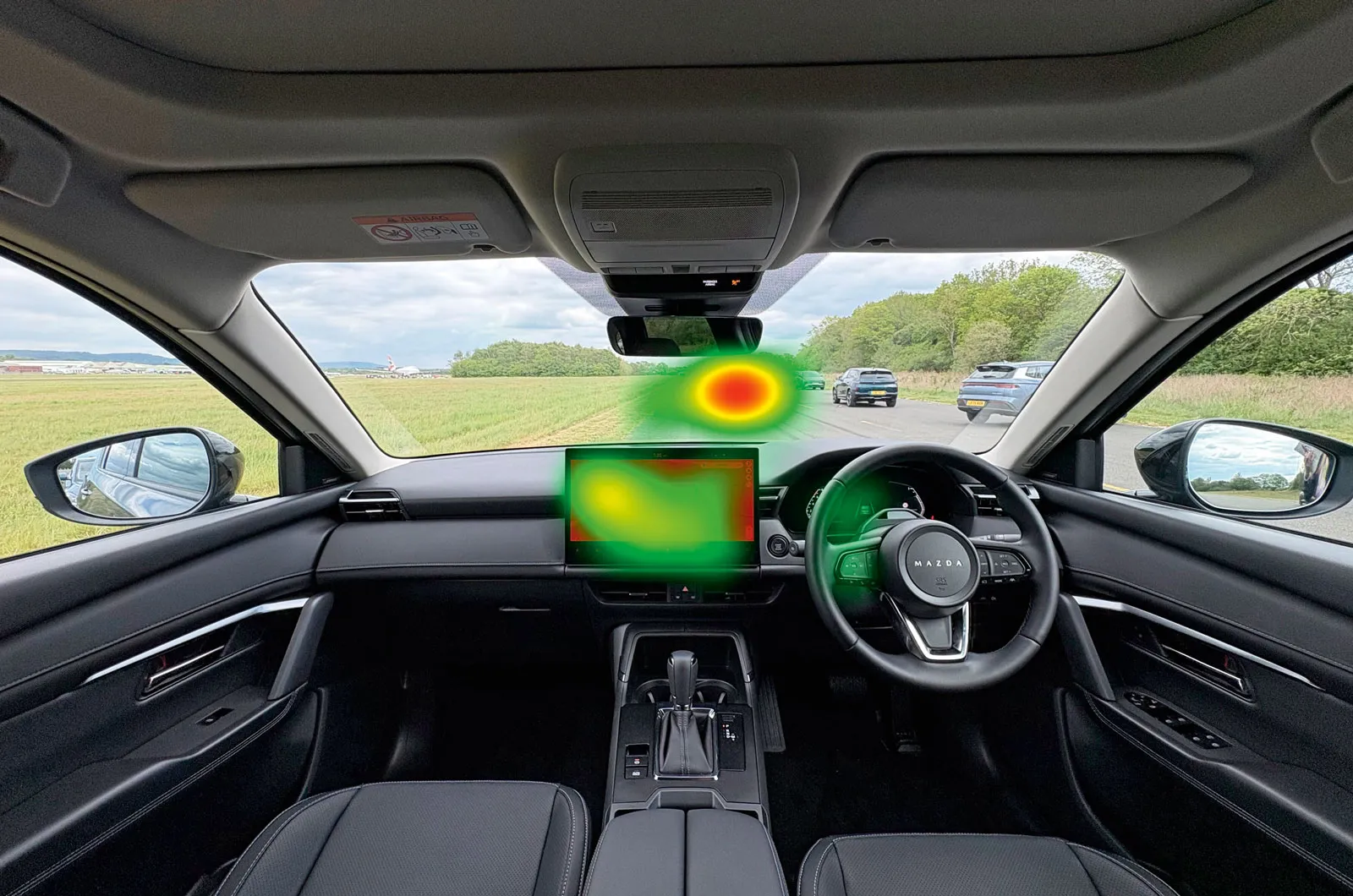
While we could only successfully adjust the radio via the screen, the system demanded less concentration than those of some other models.
8. Peugeot e-5008: i-Connect Advanced
Overall score 4 stars
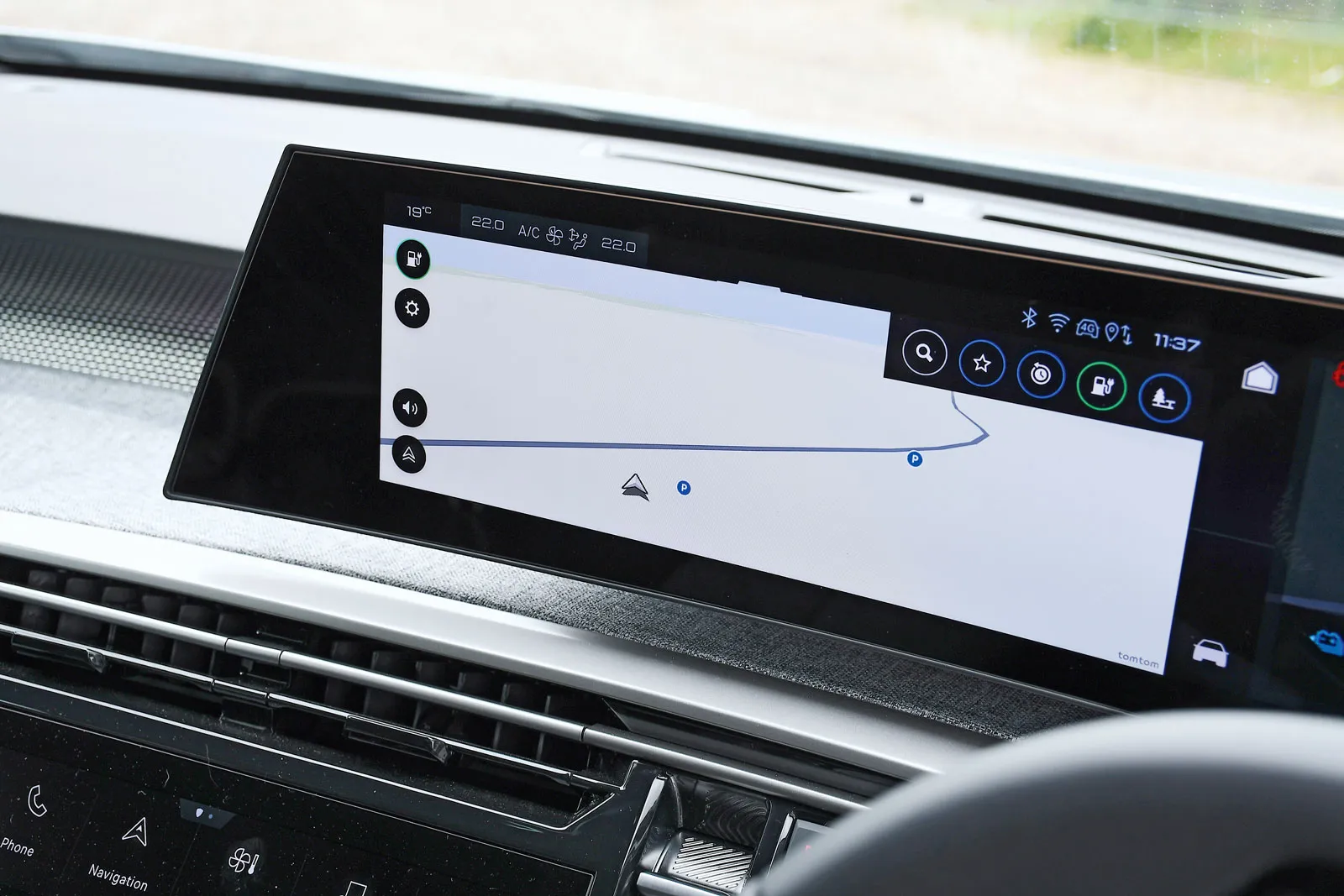
The e-5008 has a curved 21.0in LED panel that contains the driver's display and infotainment touchscreen. Below the screen are two rows of buttons for climate control, media and advanced driver assistance systems, and there's a separate touch panel (called i-Toggle) on the dashboard, where you can set up shortcuts for frequently used functions.
The voice control system worked for the temperature change and heated seats, but it took us to Radio 2, instead of Radio 4. This meant accessing two on-screen menus and scrolling down to find the right station; doing so wasn't too arduous, thanks to the screen's reasonably swift responses.
The poorest experience was with the sat-nav. Although the voice control understood the destination, it came up with three address options rather than starting guidance; we had to choose one on the touchscreen before it would start guidance.
advertisement
scroll for more
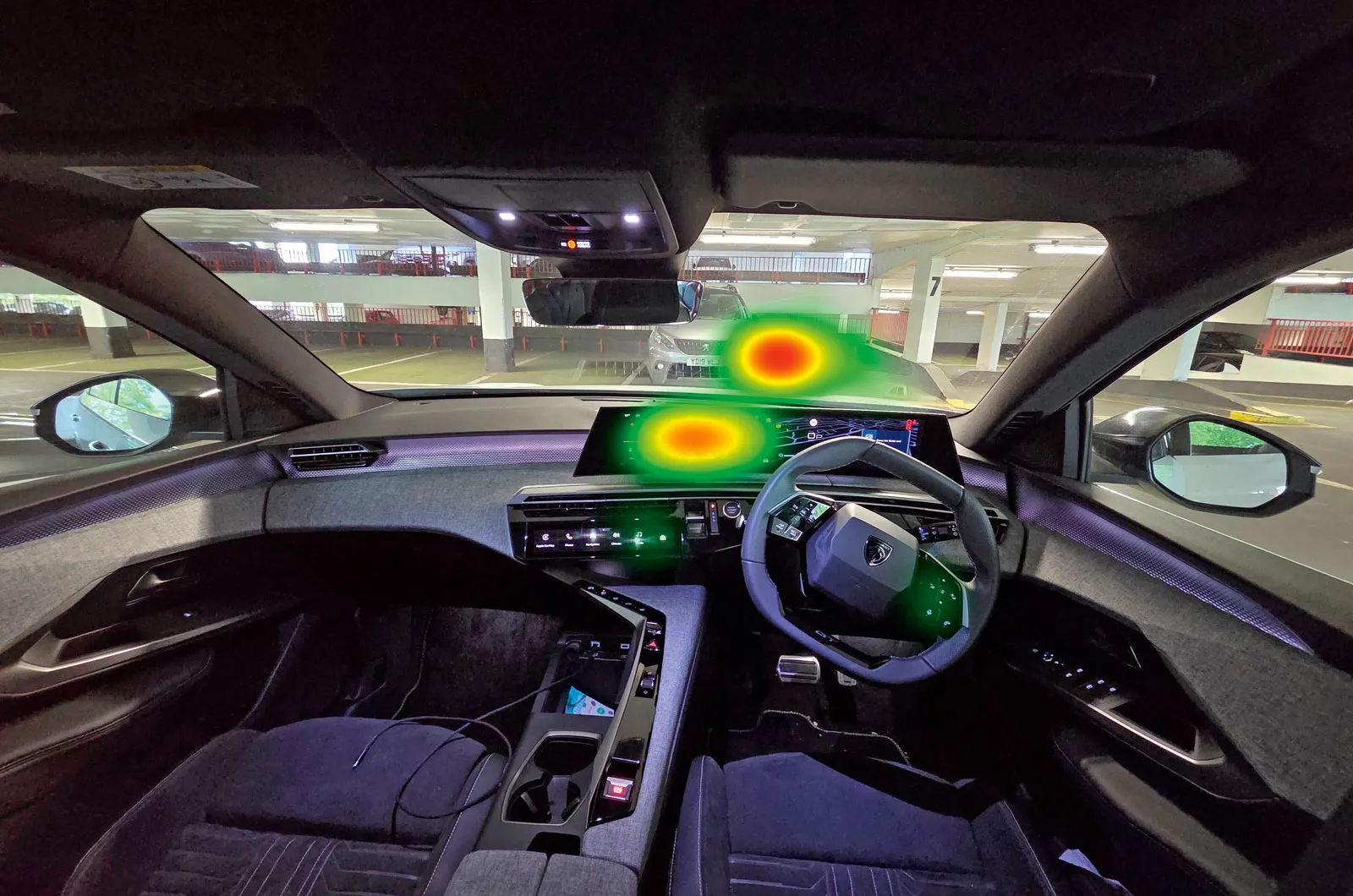
Although we didn't spend too much time looking at the centre screen, using the radio and sat-nav demanded too much concentration, as can be seen on the heatmap.
9. Volvo XC60: Volvo Car UX
Overall score 4 stars
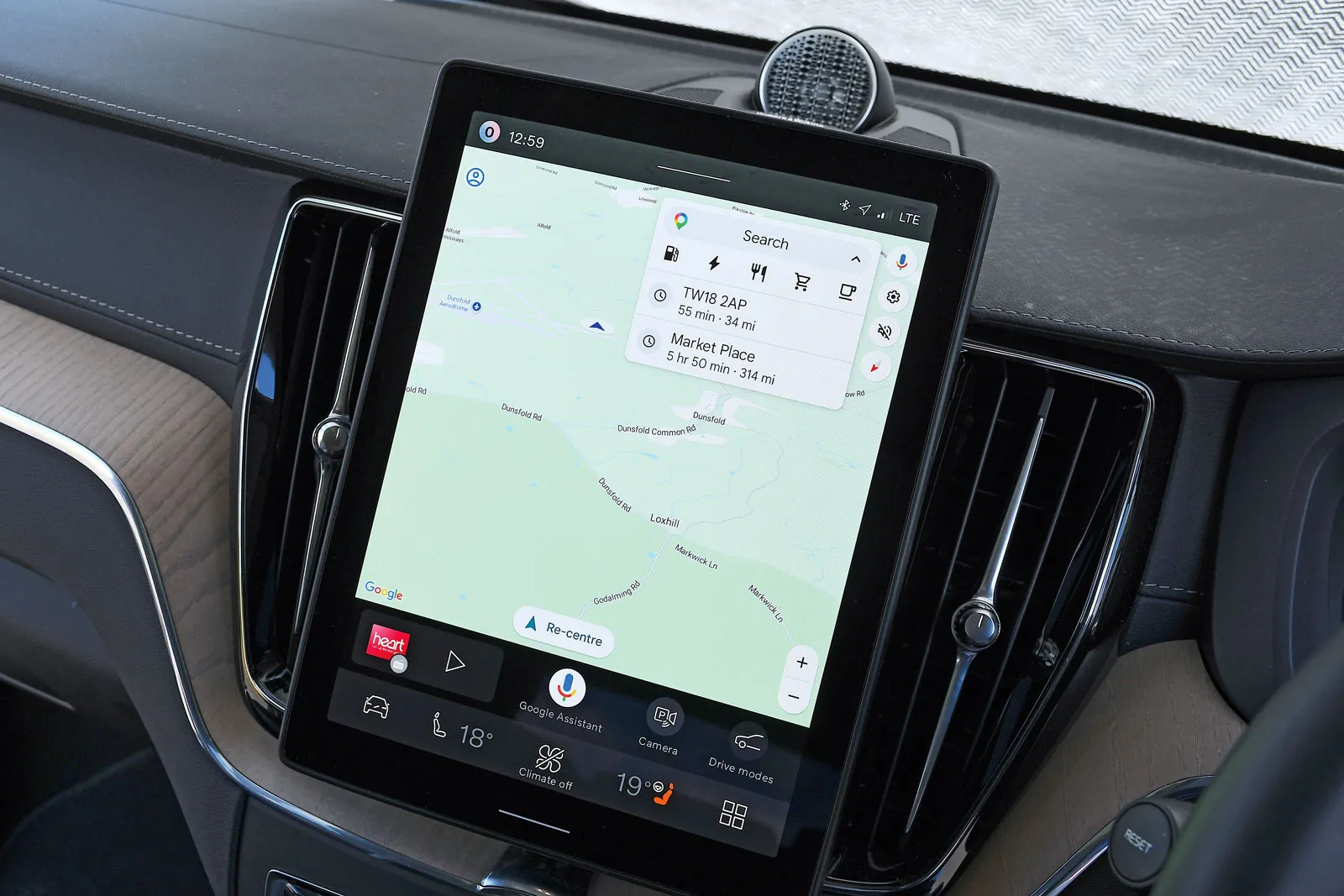
The XC60 has been treated to Volvo's latest Google-based infotainment system, which features Android Automotive software for a fairly slick user experience. It has a 12.2in screen with a simplified layout and large icons that respond swiftly to taps.
The voice control system sailed through our tests for adjusting the seat heating, changing the temperature and programming the sat-nav. However, it wasn't able to find the radio station and took us to an FM station with poor reception even when we were already listening to a DAB station.
There is a small row of buttons below the screen, but they control only volume and windscreen demisting. To access the climate control functions by hand, you have to tap icons that are always displayed at the bottom of the screen. It takes two taps to alter the temperature (the best systems require one), but it takes only one tap to activate the heated seats.
advertisement
scroll for more
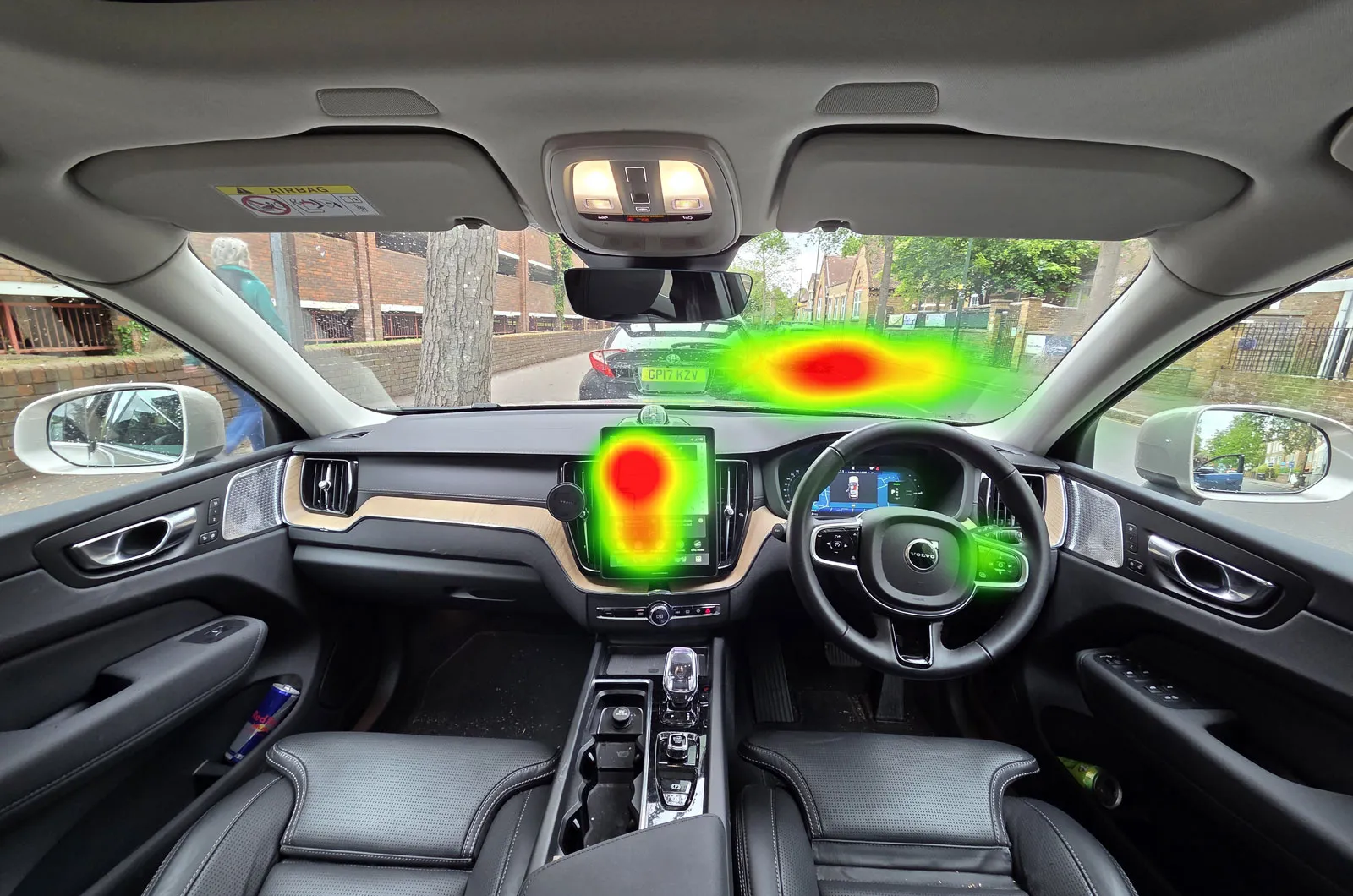
A mixed result; most functions proved operable without distraction from the road, but using the radio drew attention to the infotainment screen.
10. BMW iX3: Panoramic iDrive
Overall score 4 stars
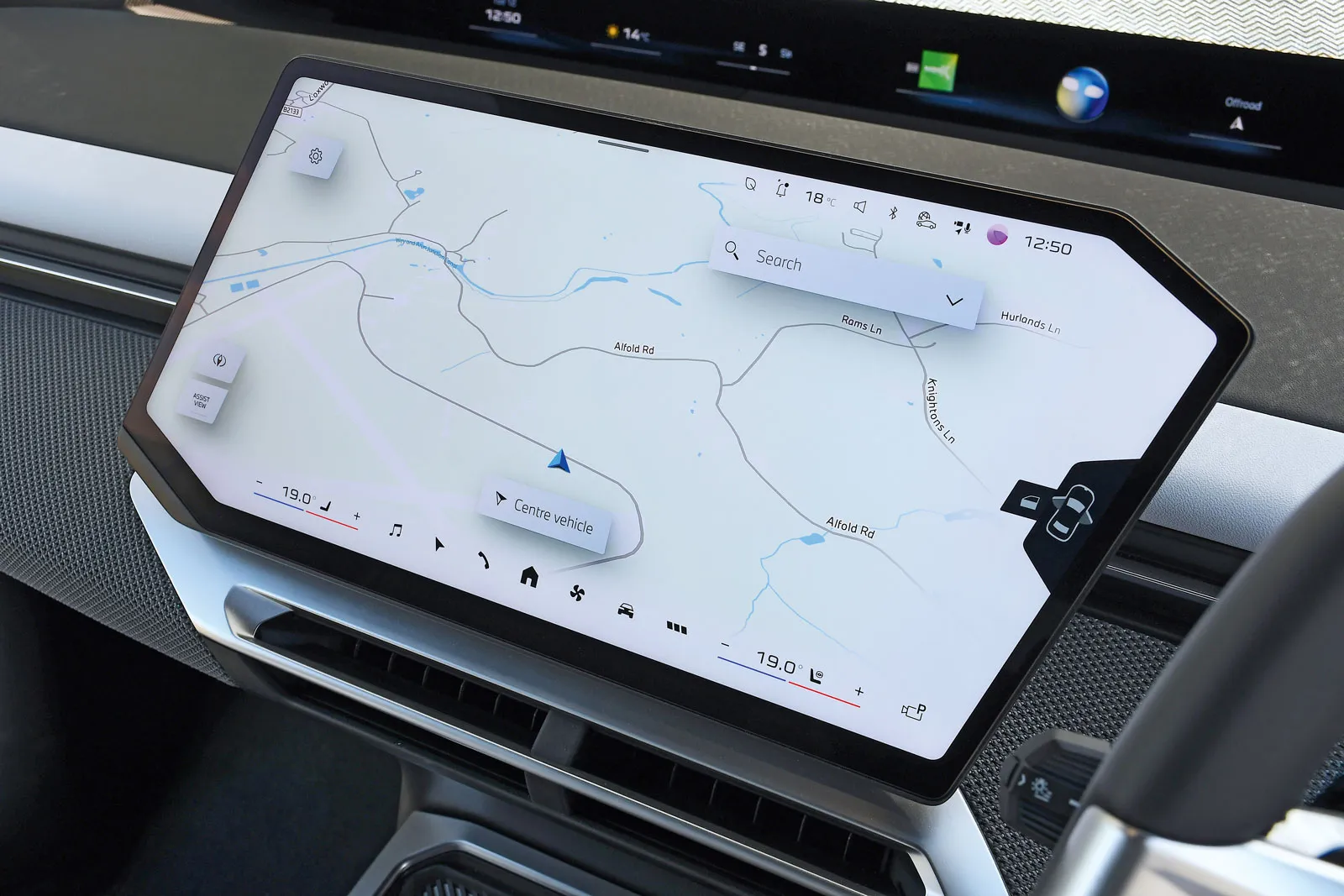
In the iX3 and other new models, BMW has replaced its previous rotary infotainment controller with a combination of voice control and physical and touchscreen controls.
The voice control worked well for the temperature and heated seat tests, but not so well for the sat-nav. It offered two address options but didn't respond when we chose one verbally, so we had to pick one on the screen and then tap 'start' to begin navigation.
It also took us to an FM station rather than DAB; selecting our DAB station involved scrolling through the station list, which is one screen tap away. The icons are large and the 17.9in screen responsive, so this wasn't too difficult.
A display below the windscreen shows voice control transcripts alongside an animated avatar head; these draw attention away from the road too much. It's also annoying to have to use the touchscreen to alter the air vents.
advertisement
scroll for more
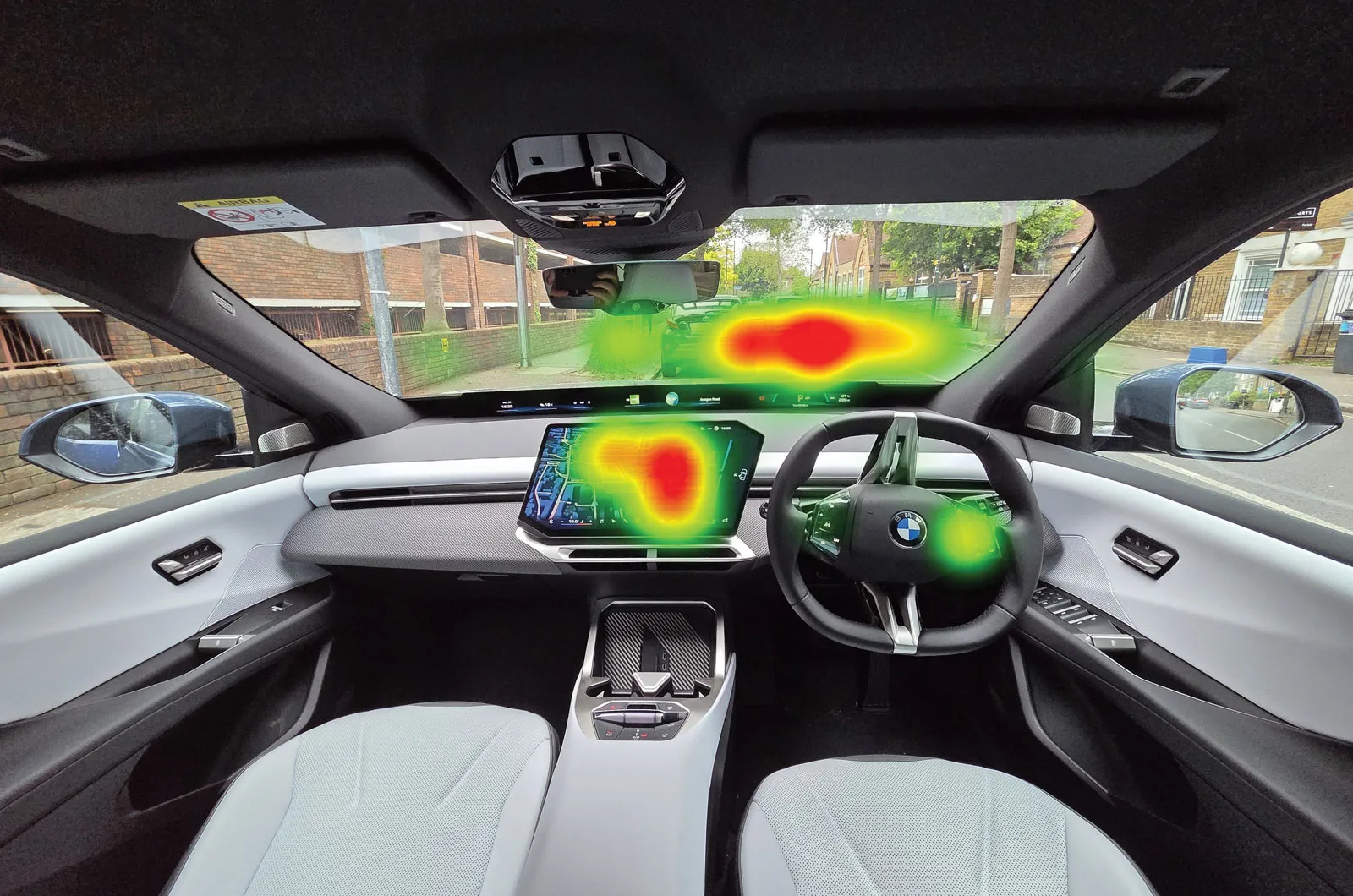
When the voice control failed to complete the sat-nav task, we spent quite some time looking at the screen and at the dash display above it, as is evidenced on the heatmap.
11. Polestar 4: 15.4in Centre display
Overall score 4 stars
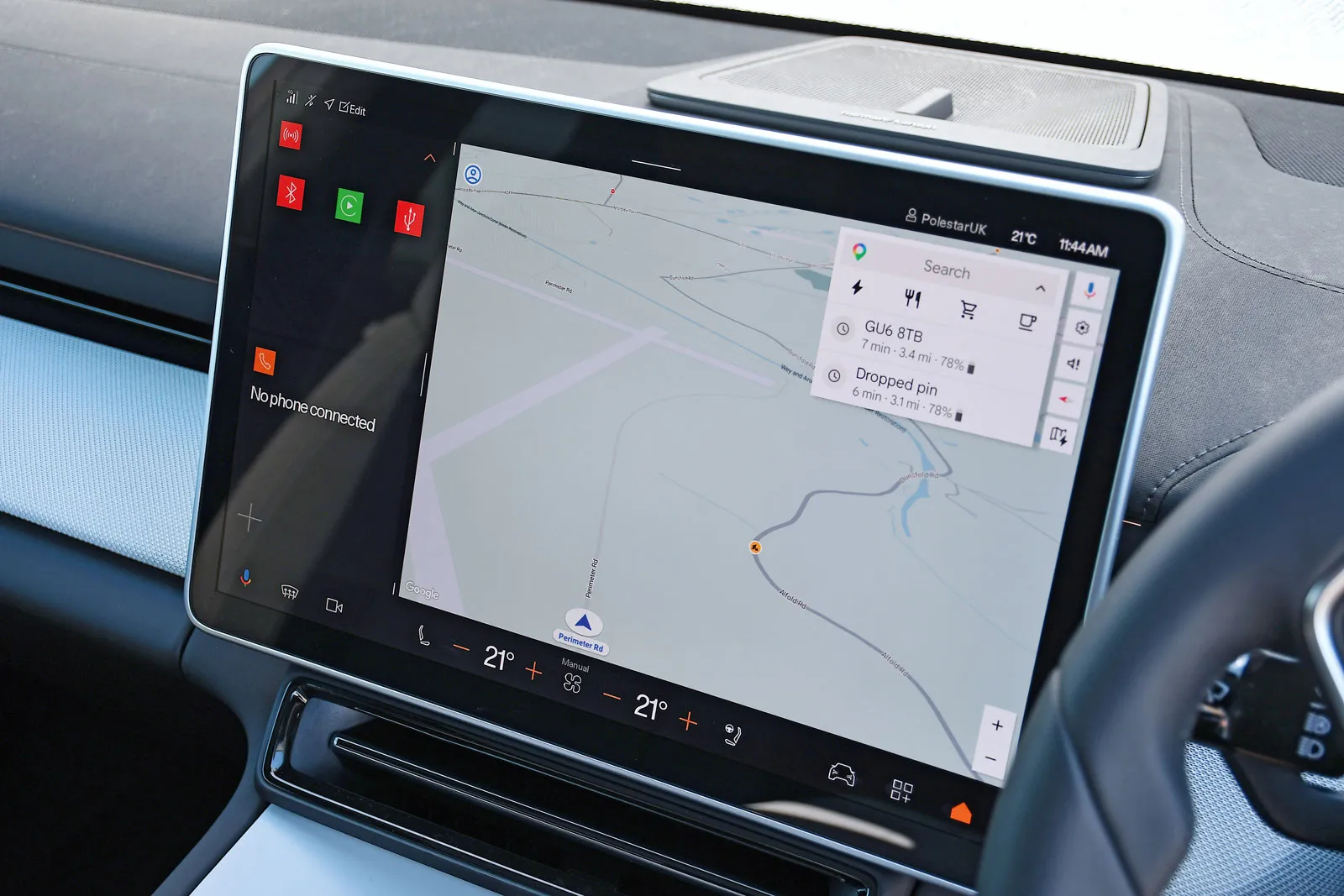
The Polestar 4 has a 15.4in landscape-orientated central touchscreen and a head-up display that projects key information – including voice control commands – directly into your line of sight. There are no physical controls other than a media volume dial.
The Google-based voice control system worked well for most functions, but it was slow to respond. It completed the temperature change, heated seat activation and sat-nav tests, but it took us to Radio 4 only on FM, even when we were already listening to a DAB station.
If you want to alter the temperature or seat heating without using voice control, it's fairly easy to use the large icons at the bottom of the screen.
The shortcut menus are on the left of the screen – quite a reach from the driver's seat. It's also frustrating that you have to use the touchscreen if you want to adjust the door mirrors or air vents.
advertisement
scroll for more
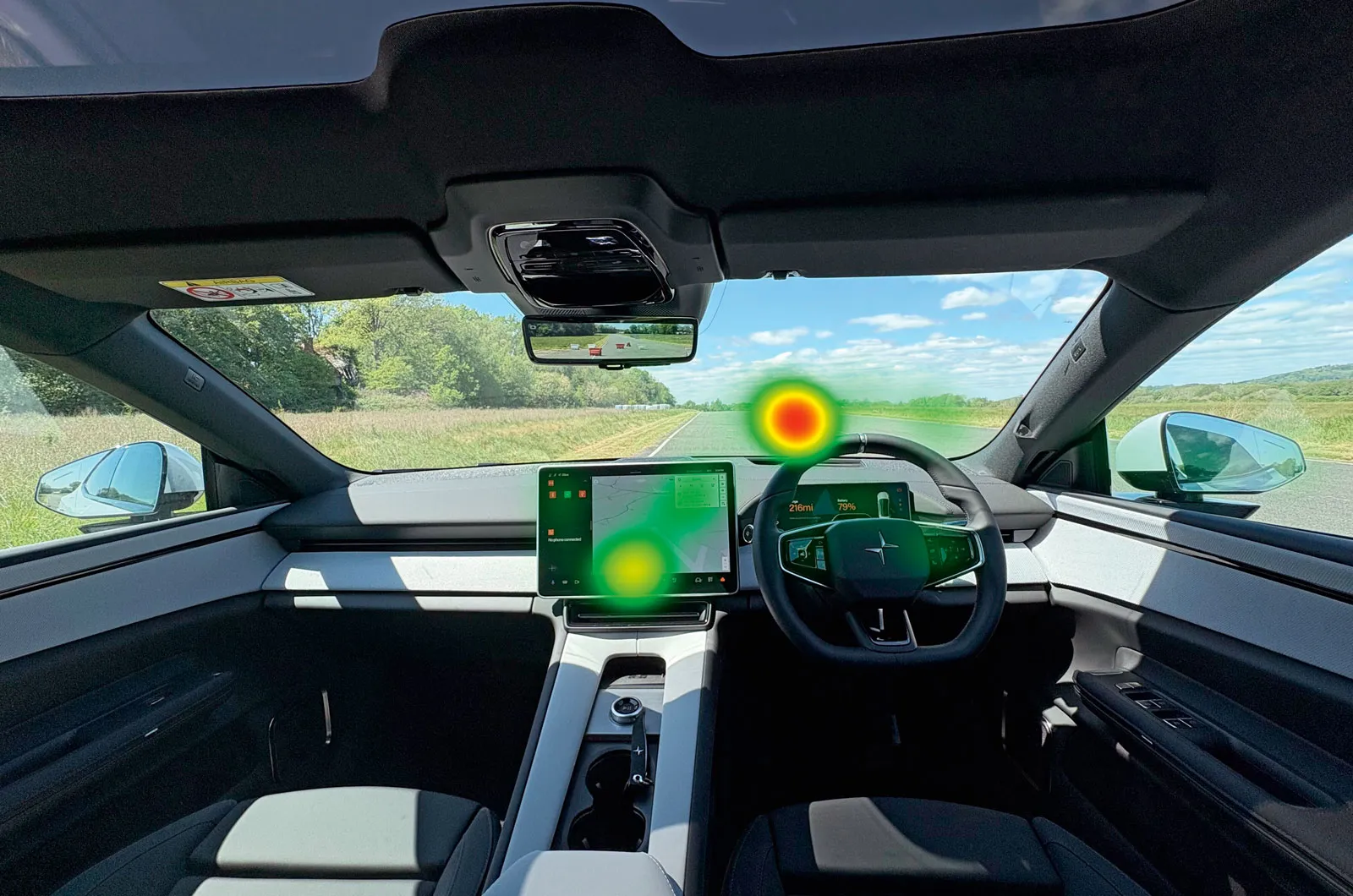
The fact that confirmation messages are displayed on the head-up display makes them less distracting than if you had to look at the screen.
12. Land Rover Defender: Pivi Pro
Overall score 3 stars
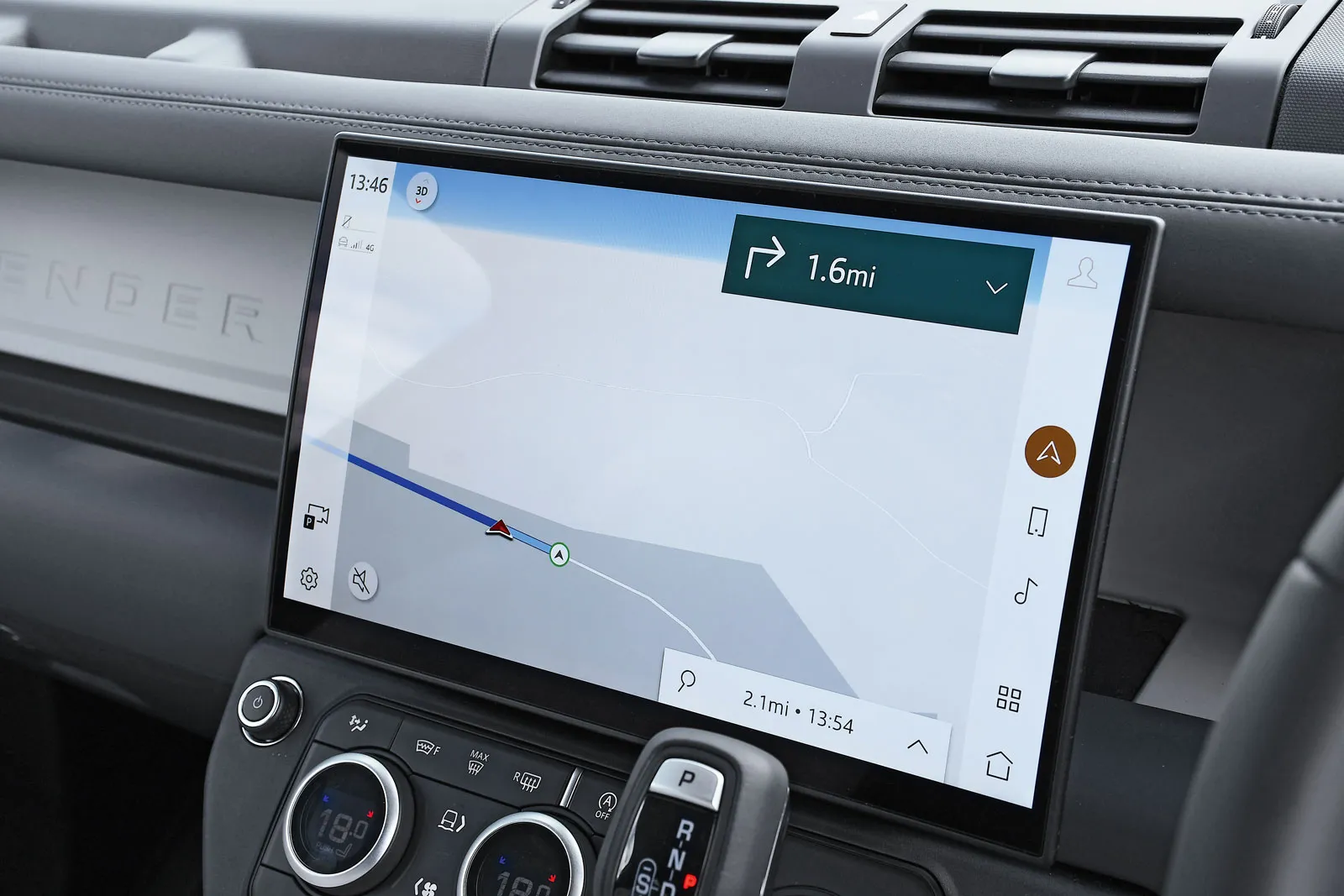
The latest Land Rover system is powered by Amazon Alexa, and although its voice control system was slower to respond than the best tested here, it was good at understanding most commands and reacting to them.
The touchscreen has bright, clear icons, and there are large knobs for the air-con and other features on a panel below the screen, making it more user-friendly than Range Rover models, in which these are integrated into the screen. The climate control switch doubles as a way to adjust the heated seats and is easy and intuitive to use.
Voice control worked well for the radio, heated seat and temperature adjustments, but not so well for the navigation task; it didn't find the exact location we wanted and it took a bit of time to get it to provide directions to a nearby village. Ending guidance requires two taps via the screen, but it can also be done via voice control.
advertisement
scroll for more
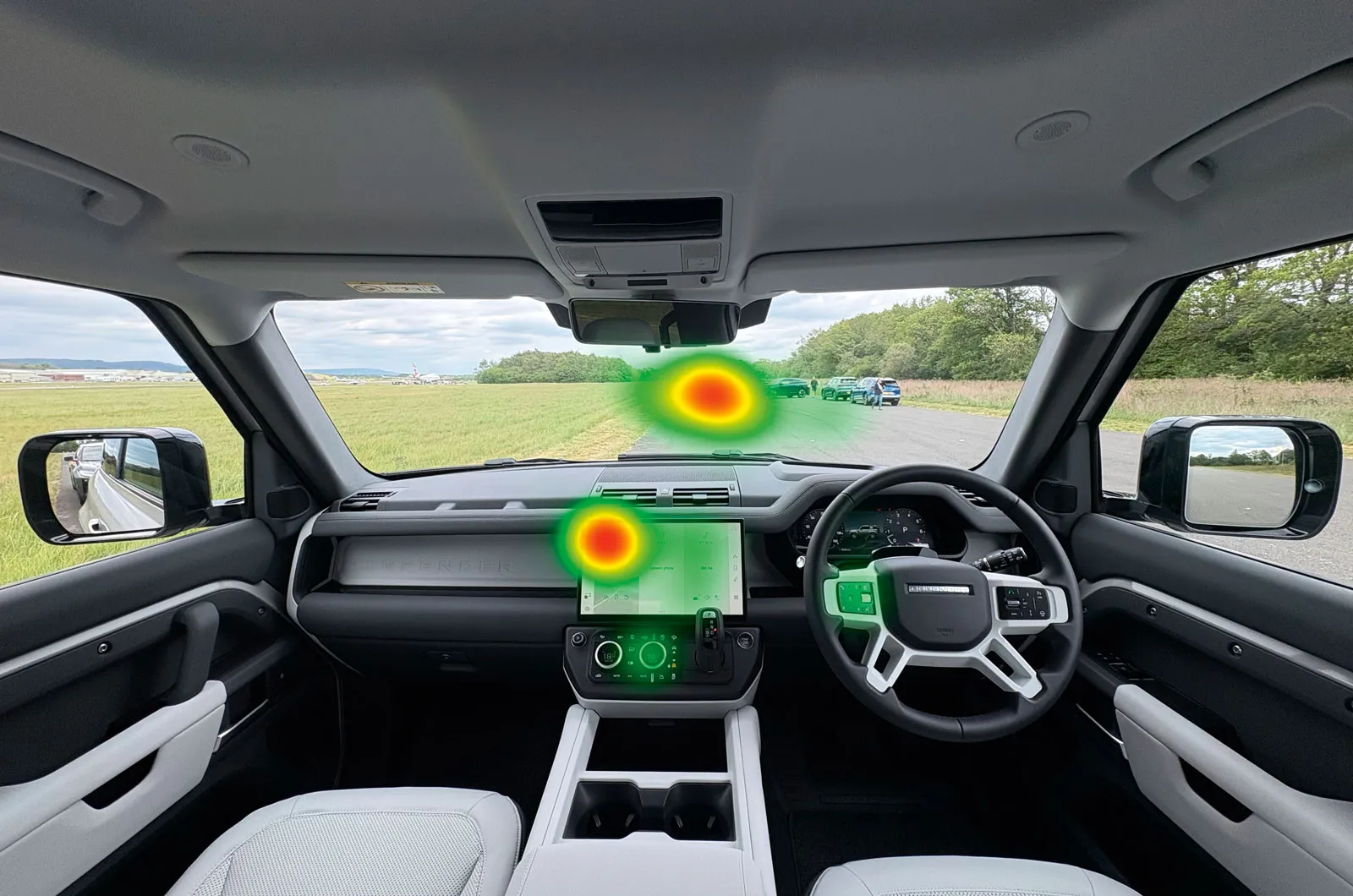
Our tester spent an equal amount of time looking at the screen and road while completing our tasks.
13. Vauxhall Grandland: PureConnect
Overall score 3 stars
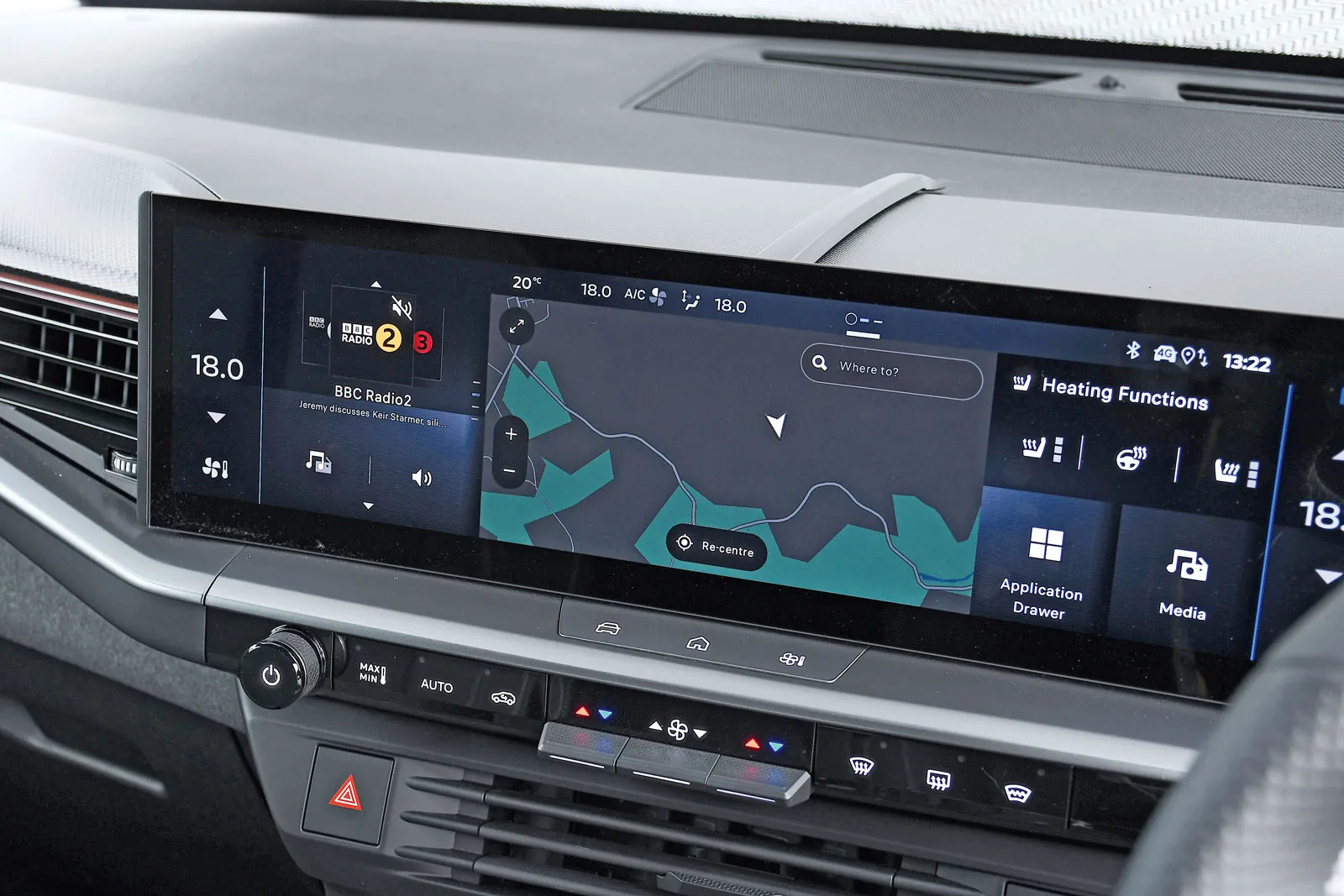
Our test was a higher-spec model with a 16.0in screen, rather than the 10.0in unit fitted to the entry-level model. The screen is quite wide, but the temperature controls and heated seat icons are on the driver's side and easy to reach. The ledge below the screen contains a few shortcut buttons, with a row of physical air-con controls below, so you can change settings without having to visit an on-screen menu.
The screen is clear and easy to read, it responds reasonably quickly to prods, and the software loads promptly. The menus are simple and easy to understand.
The voice control system worked well for the heated seats, temperature and radio requests, but the Grandland was let down by the sat-nav, which couldn't find our test address. We managed to type the address in manually (a cumbersome process), but the system still didn't come up with a useful nearby location.
advertisement
scroll for more
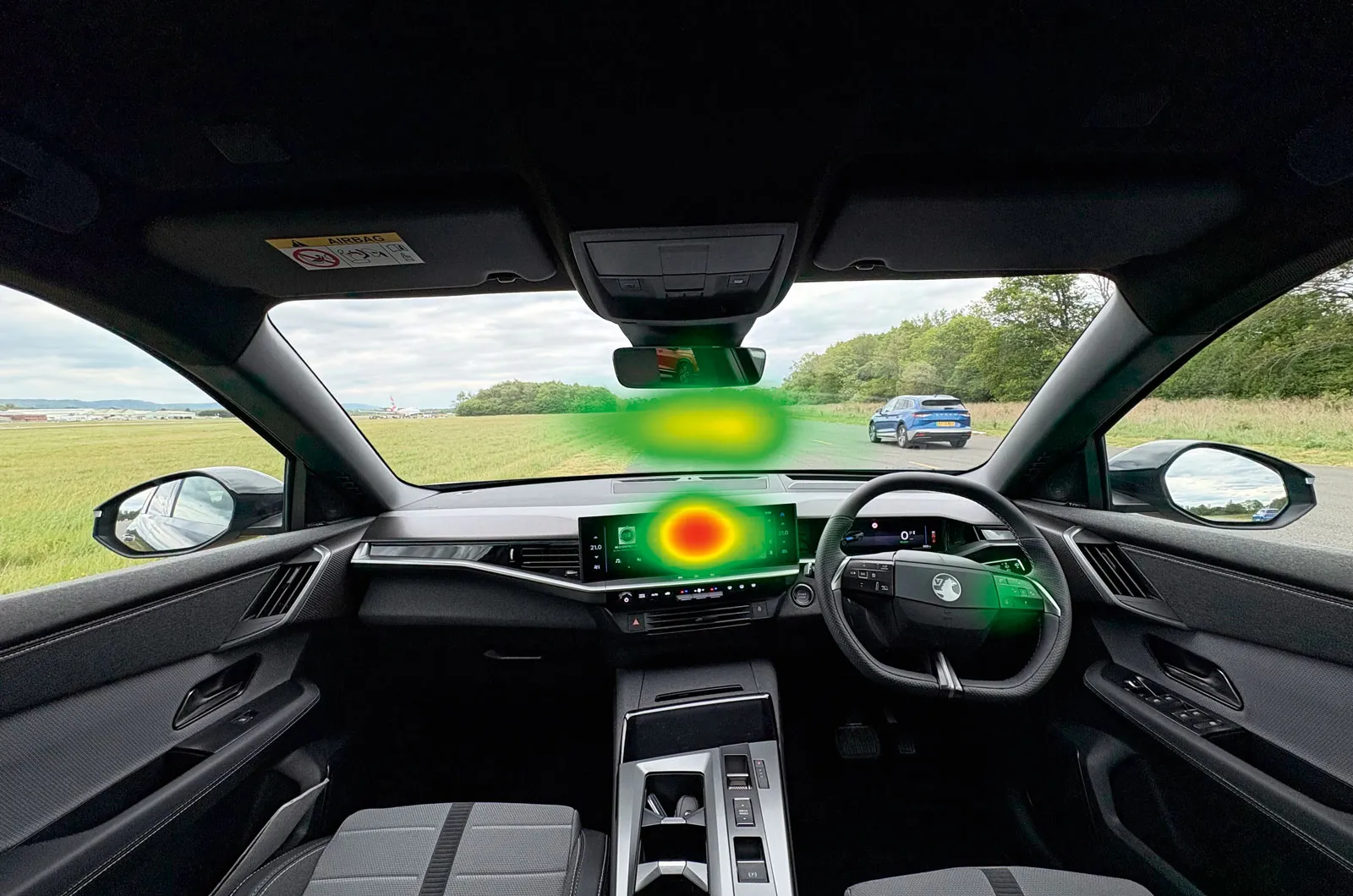
We spent less time looking at the central screen than we did in many other systems, but working the sat-nav required too much mental effort.
14. Kia EV5: Connected car Navigation Cockpit
Overall score 3 stars
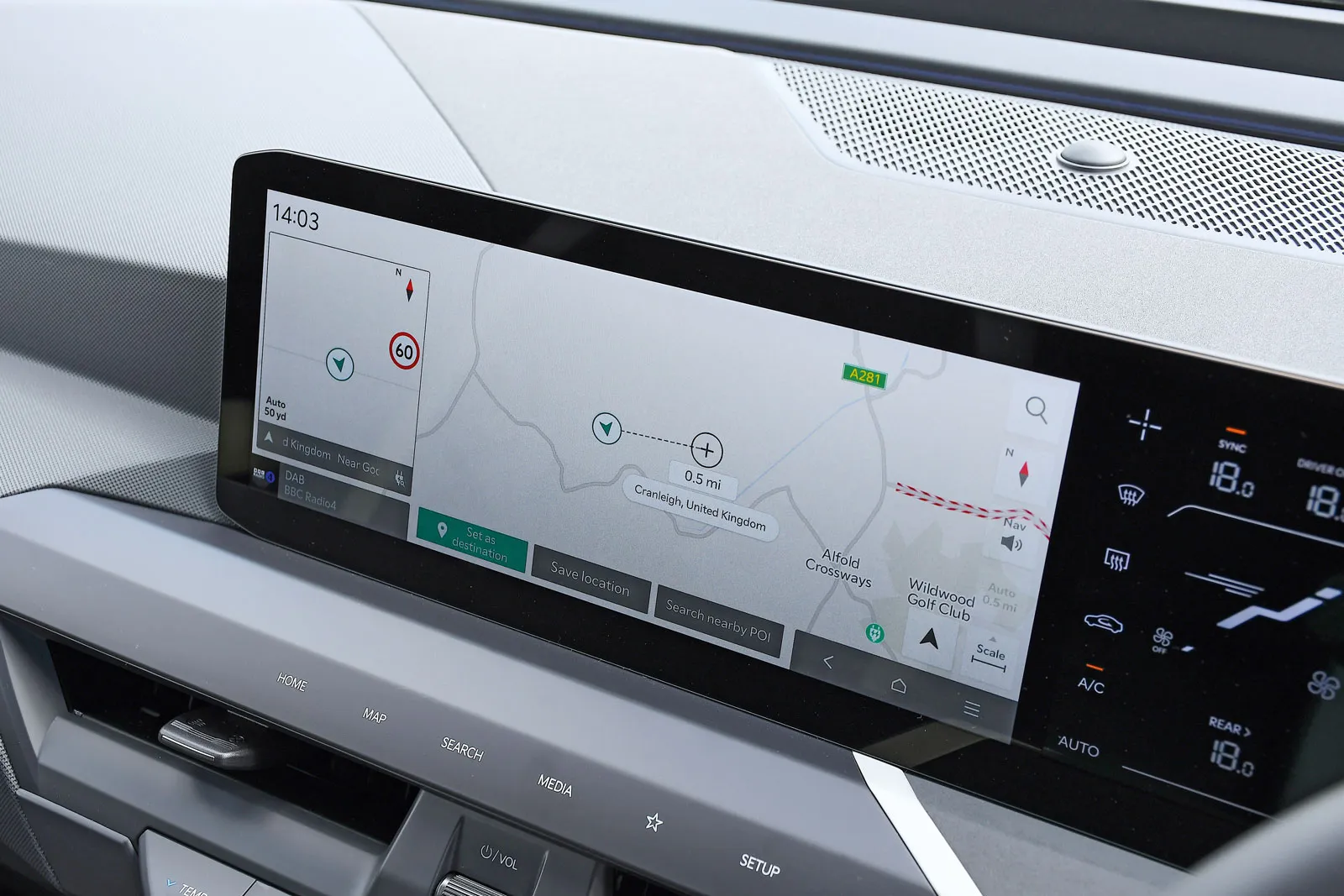
The EV5 has a 12.3in infotainment touchscreen and a 5.3in climate control screen between that and the digital driver's display. Some drivers might find the steering wheel blocks their view of this screen.
The voice control whizzed through the temperature change test. It took a bit longer than the best systems to complete the heated seat task, and it took two voice commands before navigation was activated.
The system struggled to get DAB reception to find Radio 4, but it wasn't too arduous to flick through the station list to find it, thanks in part to the large on-screen icons and easy scrolling.
It's good that the EV5 doesn't display voice control commands as it receives them, so there's no temptation to look at them instead of just listening. There are lots of physical buttons for media and climate control below the screen, and they're easy to reach.
advertisement
scroll for more
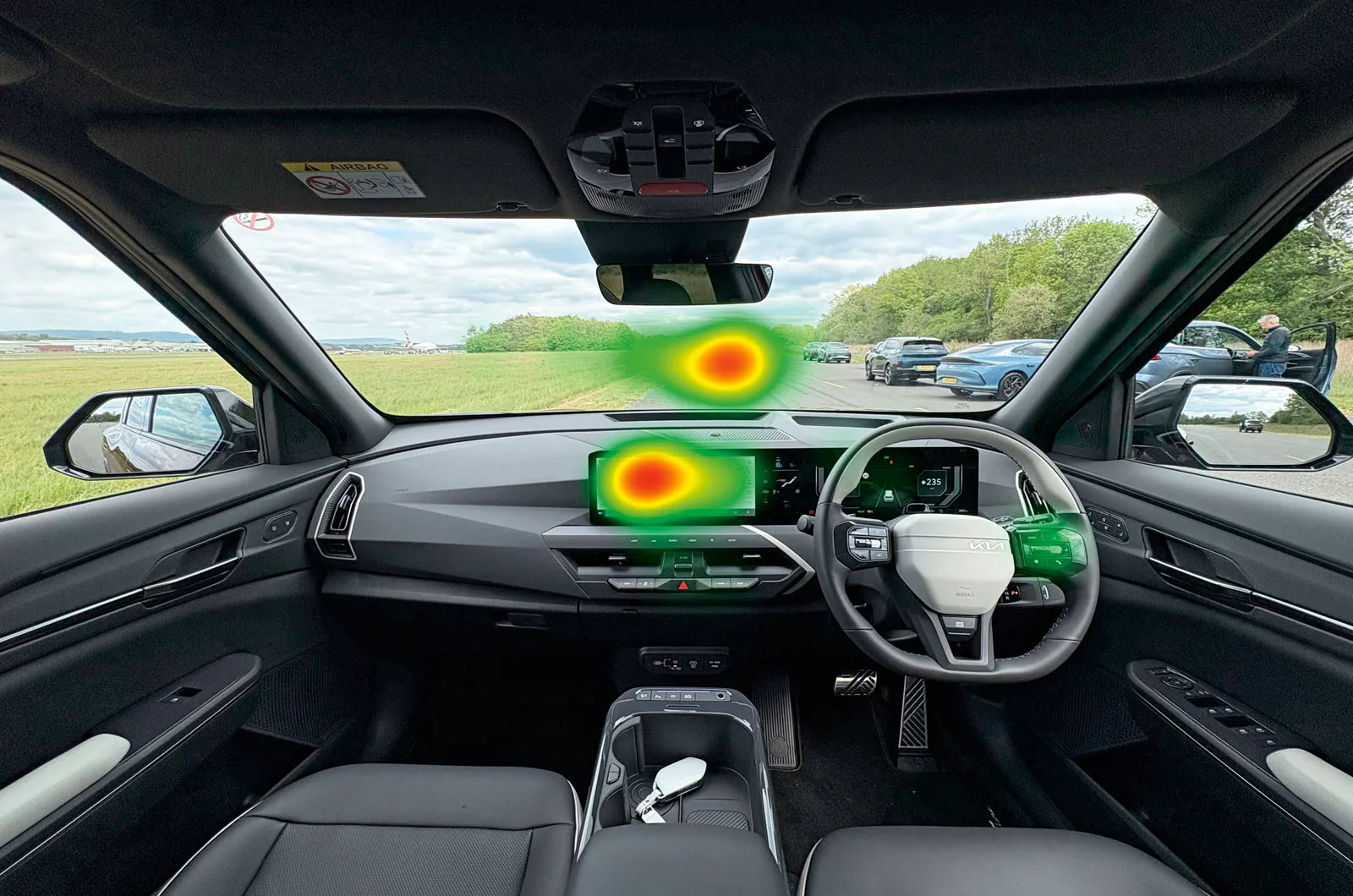
This system lost marks because it was a little slower and more demanding than the best systems, with concentration split fairly evenly between screen and road.
15. Genesis GV60: Connected Car Integrated Cockpit
Overall score 2 stars
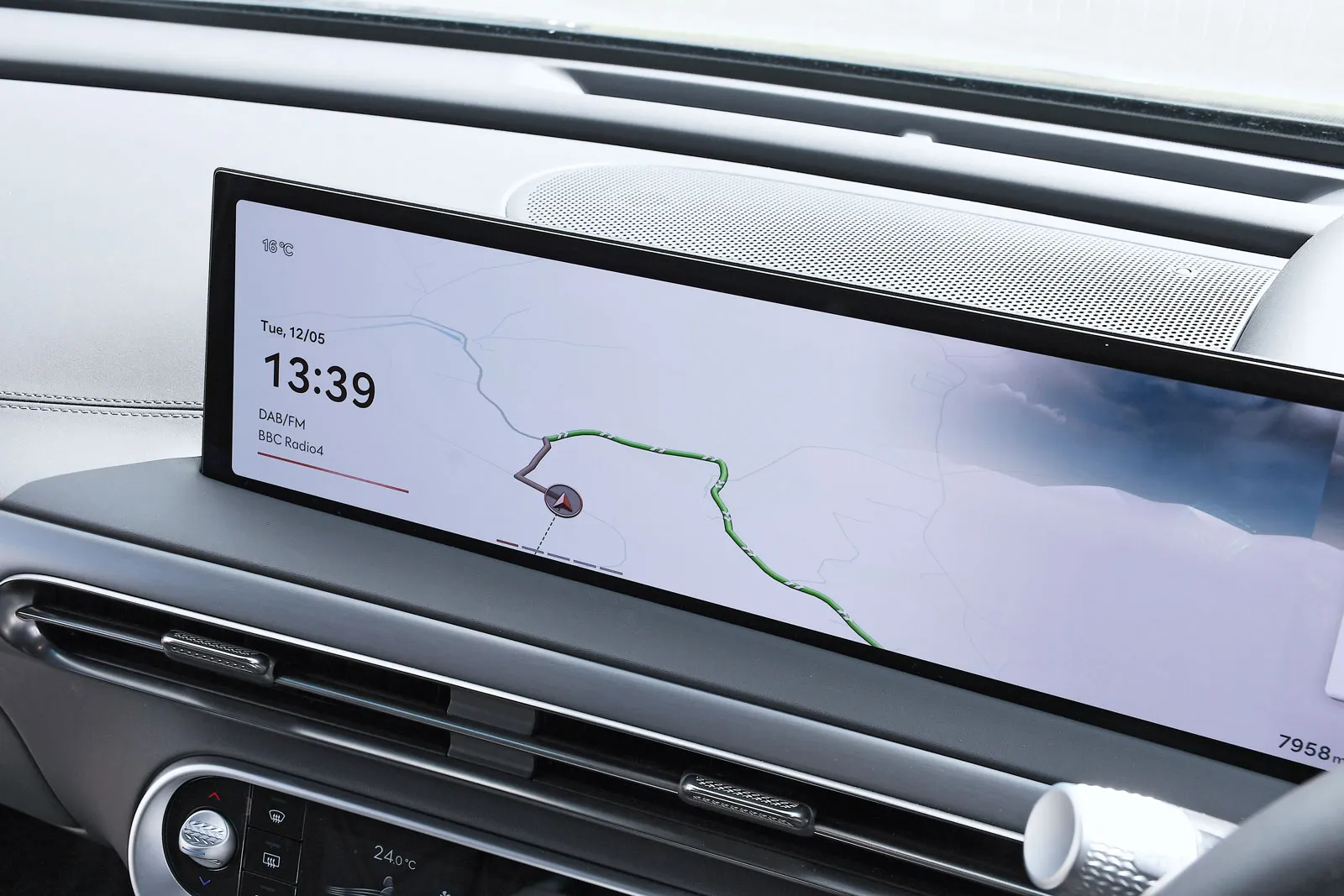
All GV60s come with a 27.0in display that combines the instruments behind the steering wheel with the infotainment touchscreen. The screen is bright and quick to respond to presses, and it uses a Google-based voice control system that understands a good range of spoken commands.
In our tests, the voice control worked well for changing the temperature and controlling the heated seats. It also started sat-nav guidance to our desired location after two voice commands.
However, it struggled when we got to the radio test. It failed to change stations when asked, and trying to do it manually proved frustrating without favourites programmed in, because we had to scroll through lots of stations, hiking the mental load.
There's a handy rotary controller between the front seats and a panel with some physical controls for controlling the air-con, heated seats and media.
advertisement
scroll for more
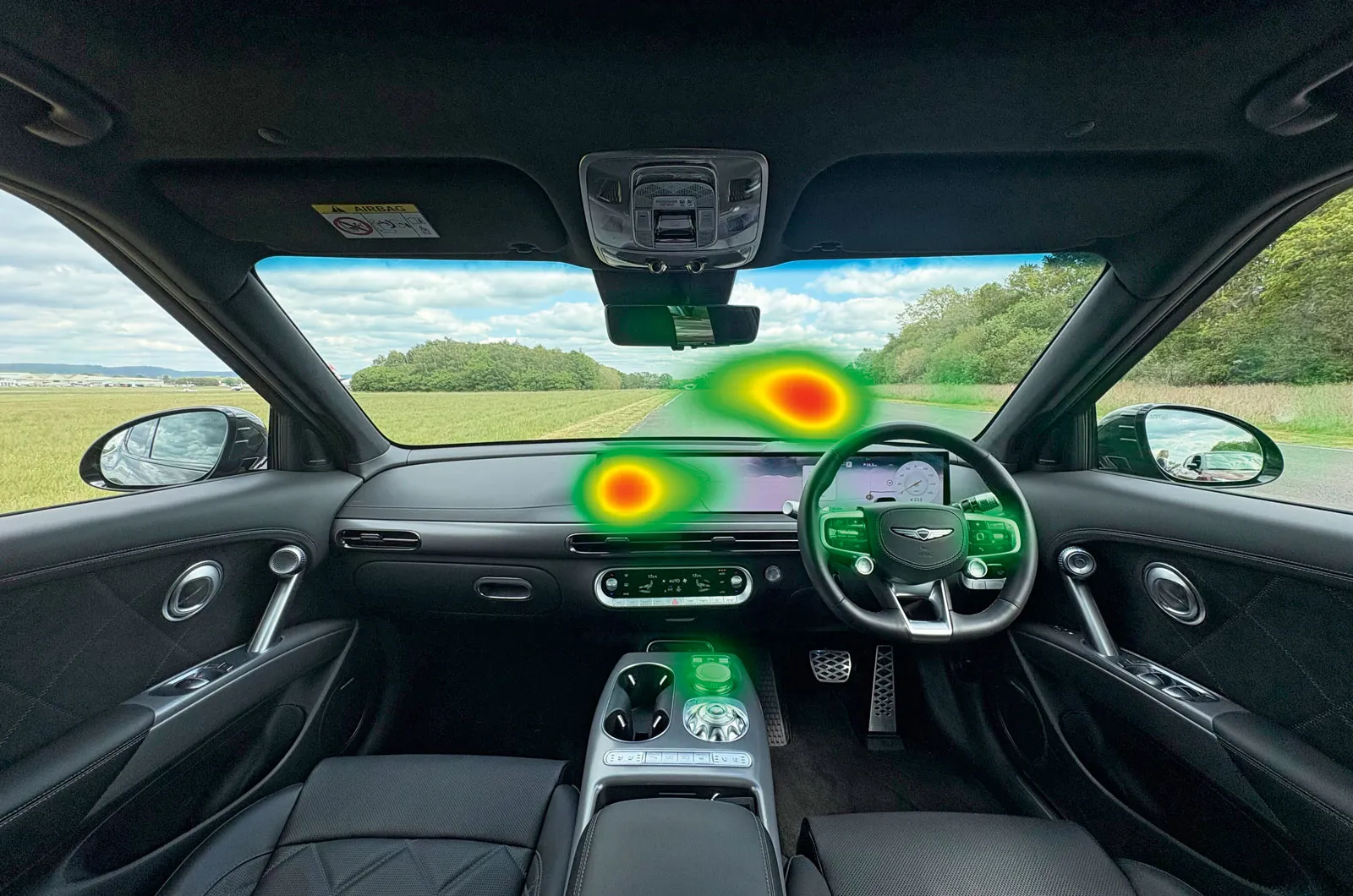
Too much information was on the far side of the screen, quite a long way from the driver's line of sight.
16. Toyota C-HR: Toyota Audio Multimedia
Overall score 2 stars
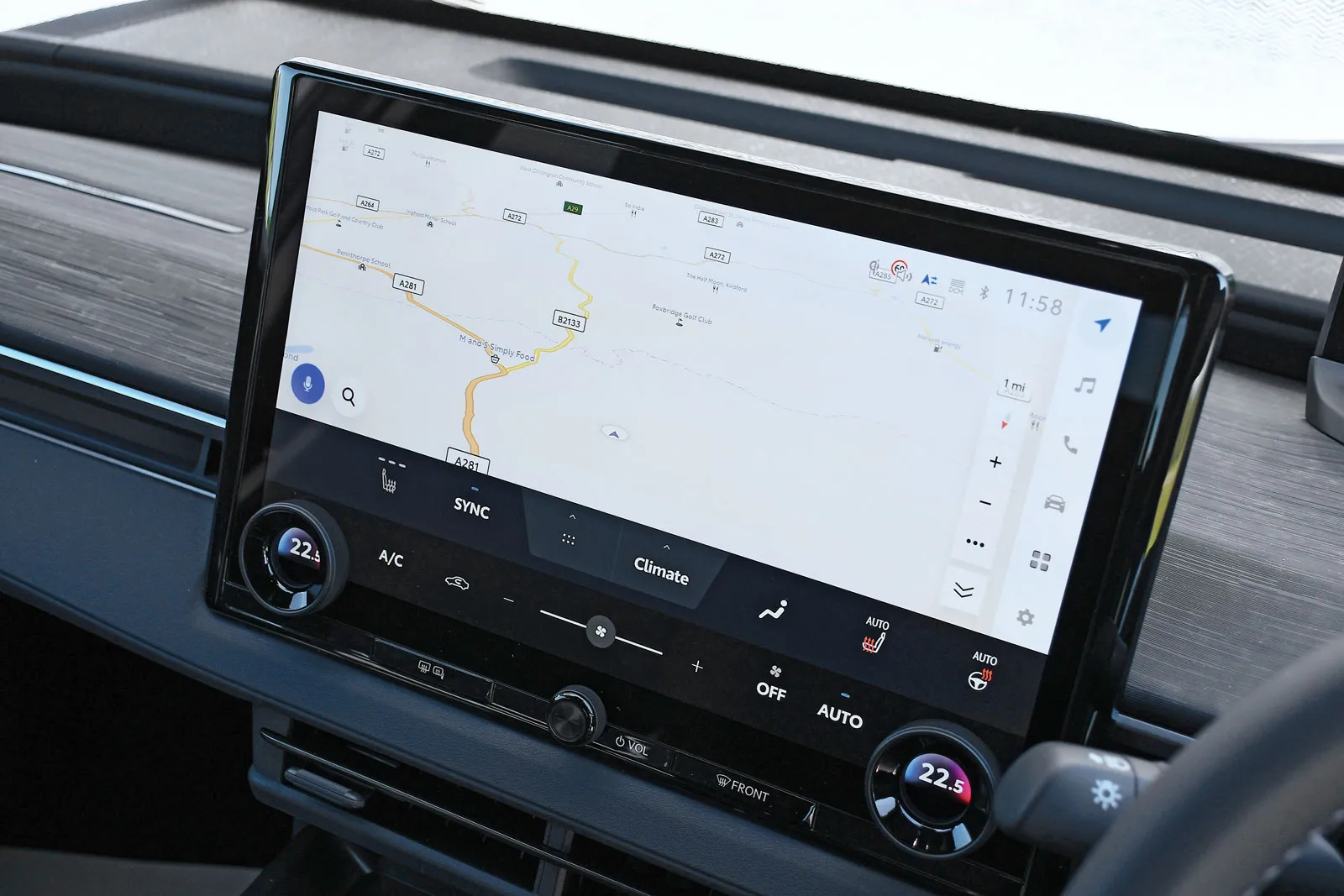
The entry-level C-HR has an 8.0in infotainment touchscreen, but all other trims (including our test car) have a 12.3in unit. Both are positioned high up on the dashboard and angled towards the driver to make them easier to read.
The system is based on Toyota's own Arene software, and its voice recognition worked well for three of our four tests: the air-con, heated seat and radio station change. Only its sat-nav functionality disappointed; it didn't recognise our address, and even when we entered it manually, it still didn't come up with a destination nearby, putting a higher level of mental strain on the driver than other systems.
If you choose not to use the voice controls, there are three rows of icons and some physical buttons for the climate control and media volume. They're easy to reach and use, but turning on the heated seats takes two taps rather than the one of the best systems tested.
advertisement
scroll for more
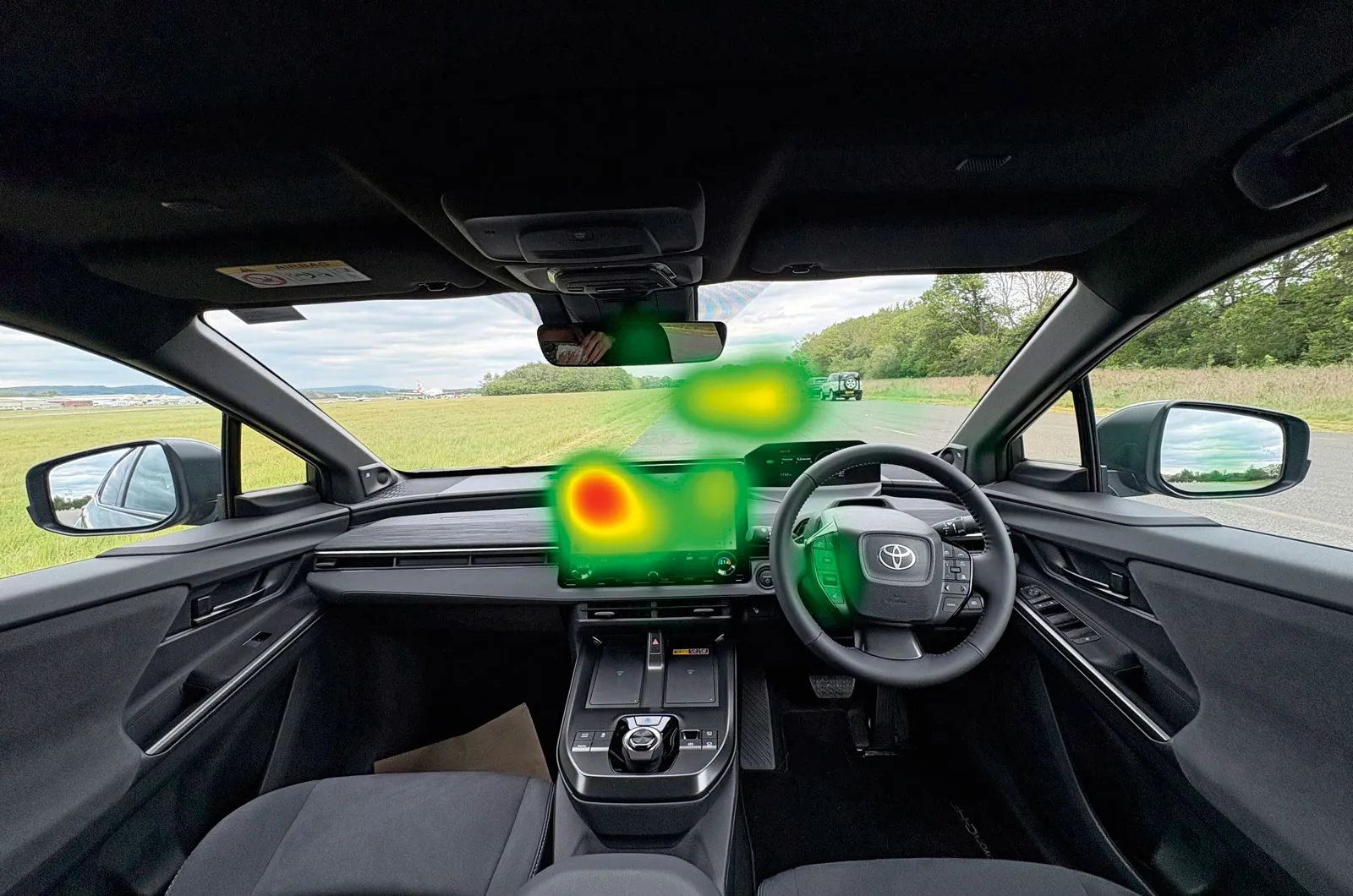
Poor sat-nav functionality led to a lot of screen viewing and required a significant level of concentration, as can be seen on the heatmap image.
17. BYD Sealion 5: 12.8in touchscreen
Overall score 2 stars
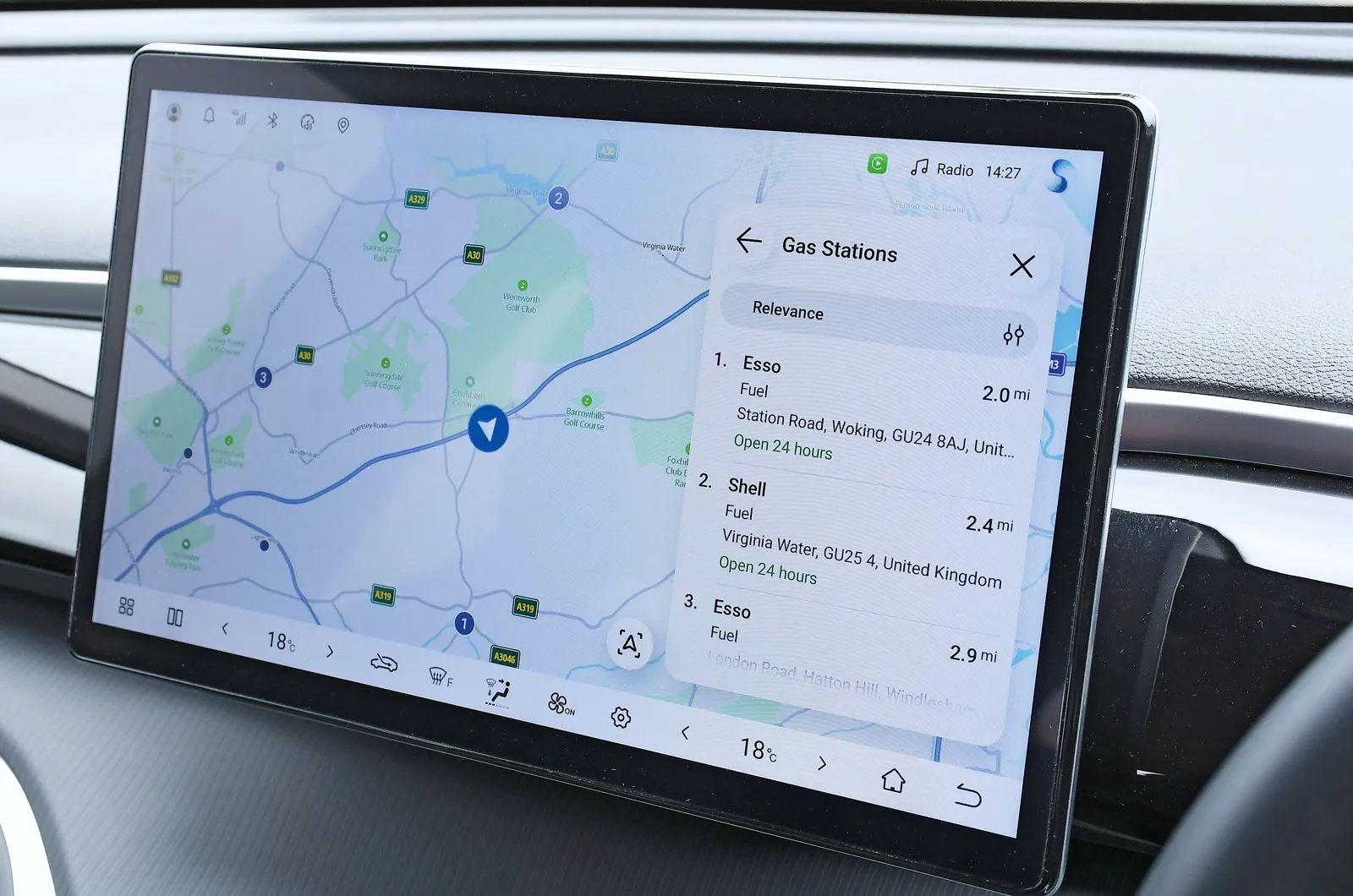
The Sealion 5's 12.8in touchscreen looks the part, with crisp graphics and fairly large icons, and it responds quickly.
You can heat up your seat or alter the temperature without too much distraction if you use voice control. However, performing these functions manually is far more long-winded; the seat heater requires three taps on the touchscreen to turn on, and the air-con adjustment takes five taps.
We weren't able to change radio stations using the voice control, but doing so using the on-screen icons was much quicker than in the MG IM5 and Ford Ranger.
Setting the sat-nav was the hardest thing to do; the voice control was slow to react and came up with a list of seven potential locations; we had to select the correct one via the screen.
advertisement
scroll for more
The latest BYD Atto 2 and Atto 3 have a Google-integrated system that potentially has a better voice control system.
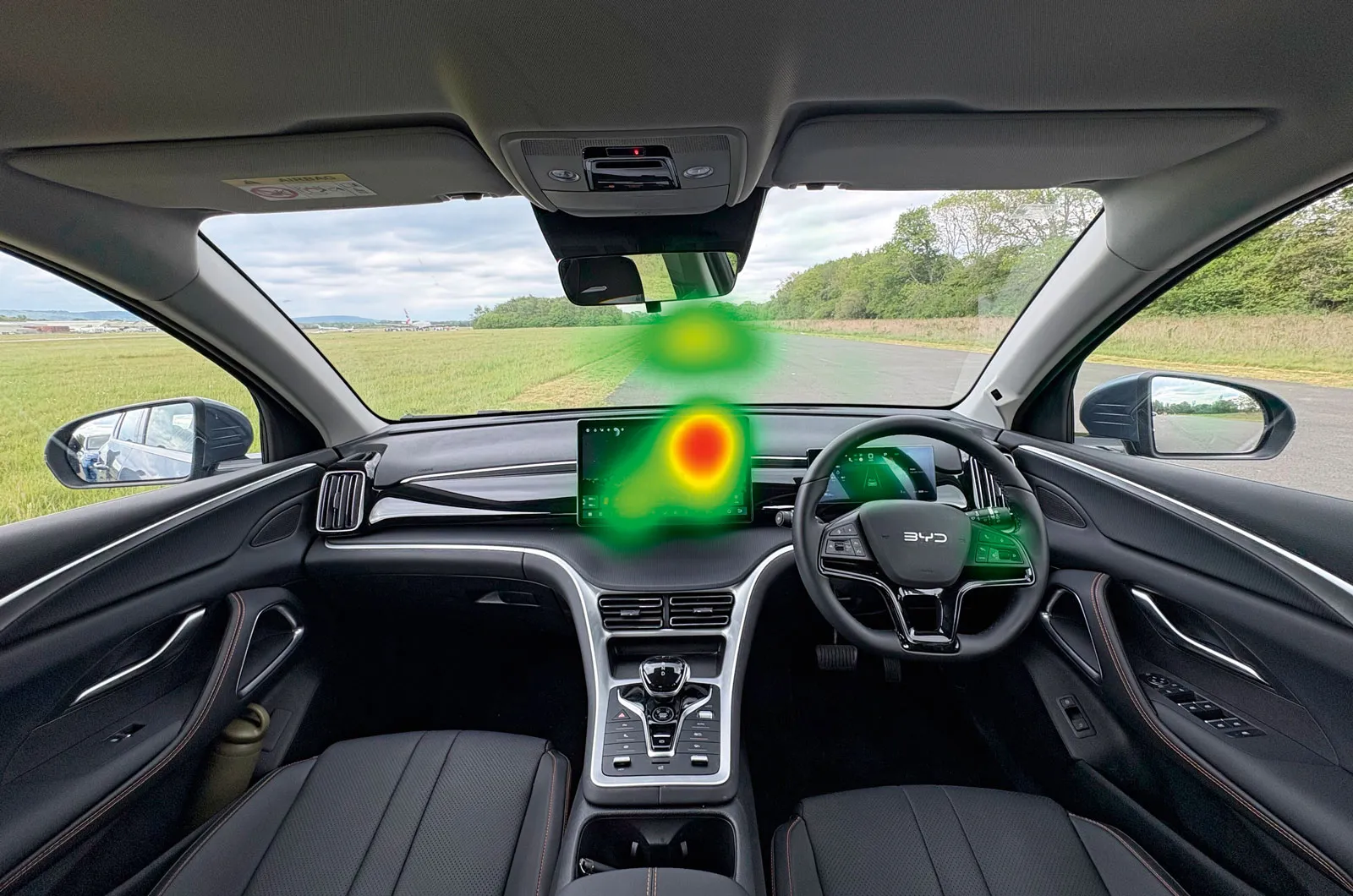
Although this system was on the slow side, it's good that the menu is on the right, closest to the driver, as can be seen from the heatmap.
18. Ford Ranger: SYNC 4A
Overall score 2 stars
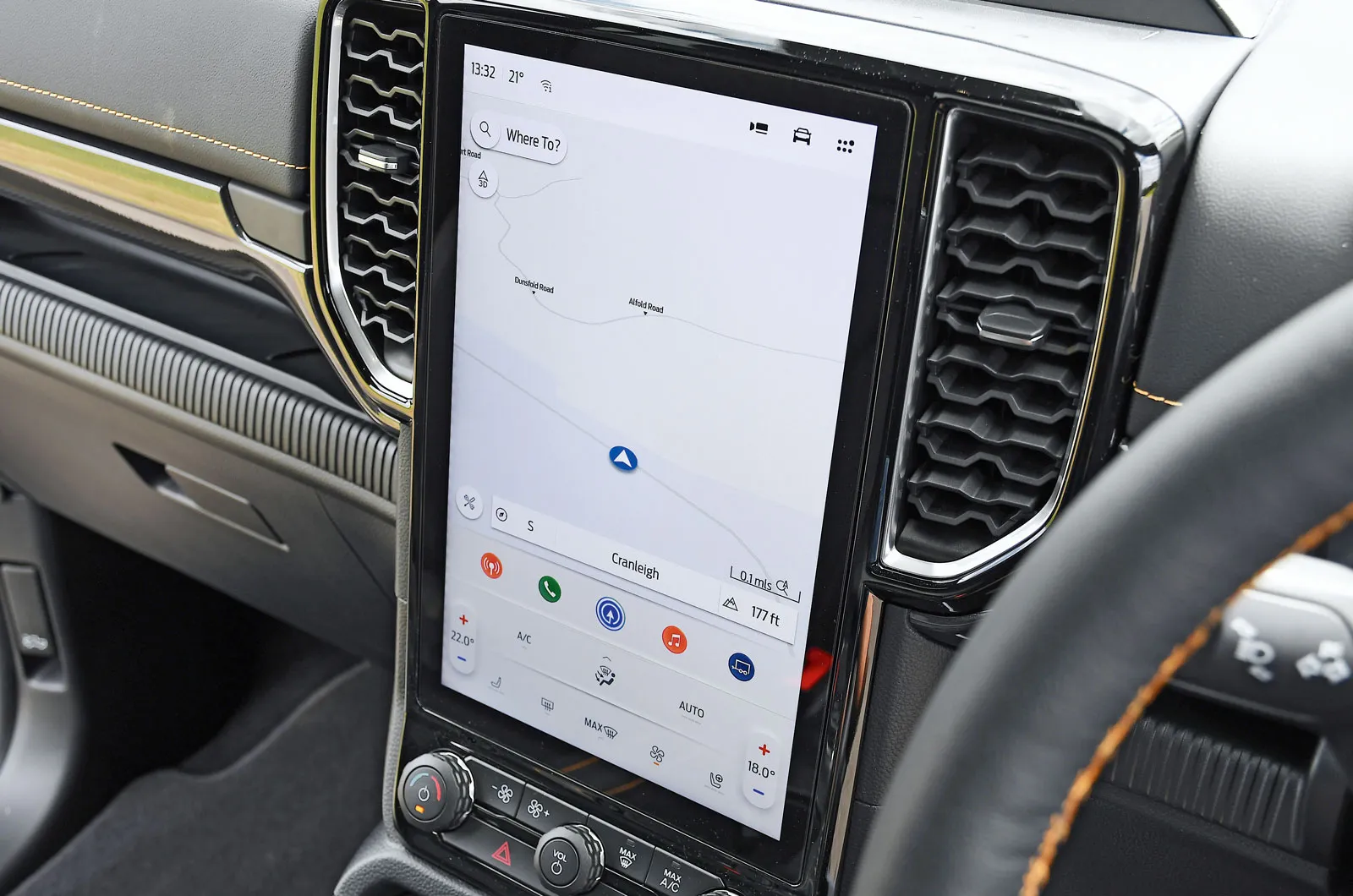
Cheaper versions of the Ranger come with a 10.0in touchscreen, while higher-spec ones have a 12.0in one, and that's what we tested. Unlike most of the others here, it's portrait orientated. It looks good and is easy to reach, but it feels limited compared with most of the other systems we tried.
The voice control didn't work for the radio, so we had to tap the radio icon on the screen to get to the right menu, then scroll through on-screen icons; this wasn't easy, because the system is pretty slow to react. The sat-nav didn't recognise our address via voice control, so we typed it in manually and then had to select it from a list.
Voice control didn't work for the seat heating, but the on-screen button for this was easy to use. Voice control did work for the temperature, though, and the alternative of altering this via the on-screen icons was also swift.
advertisement
scroll for more
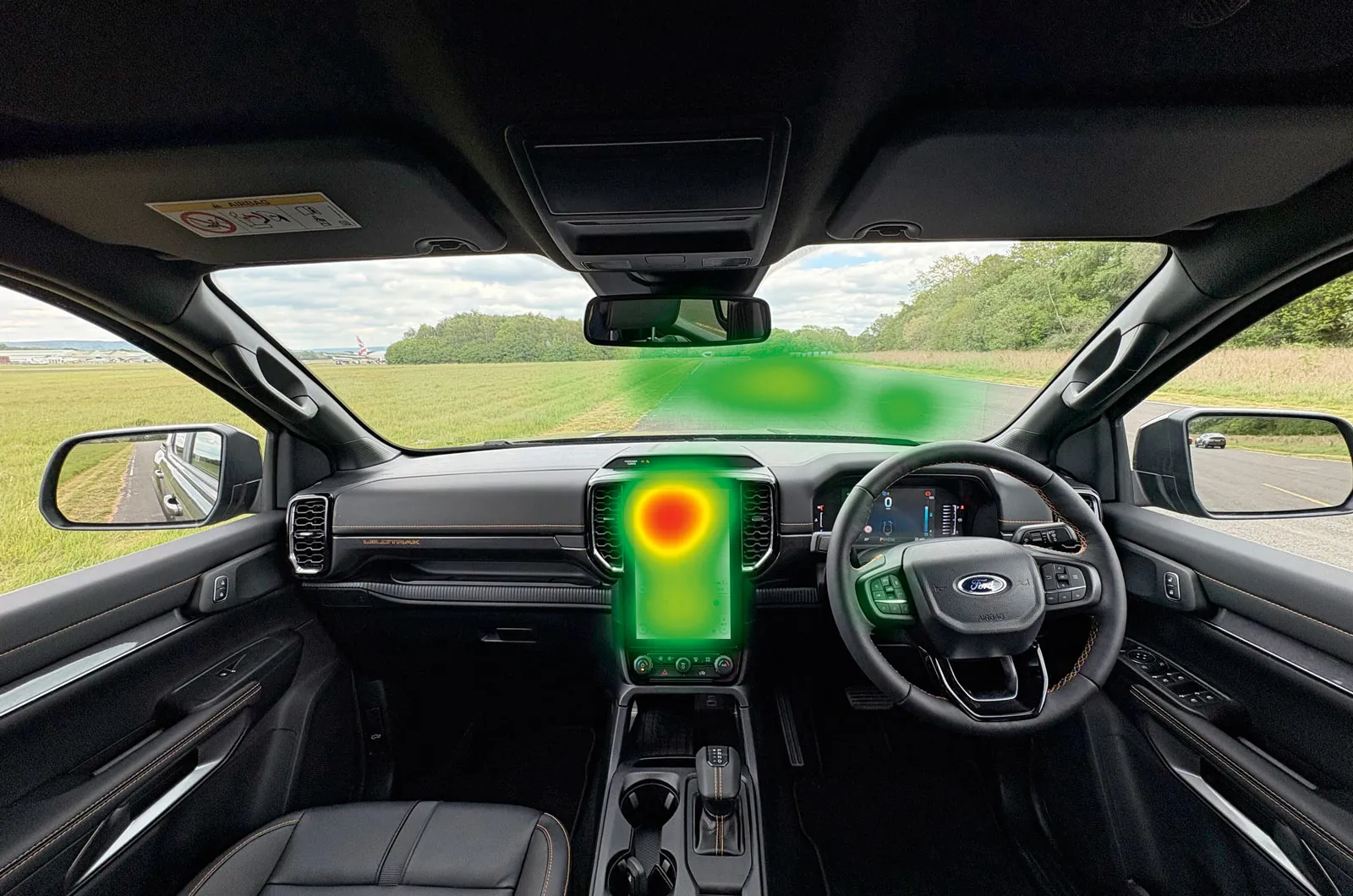
Our tester spent too much time focusing on the transcript of the voice commands on the top left of the screen, as is seen on the heatmap image.
19. MG IM5: ISmart Connected Suite
Overall score 2 stars
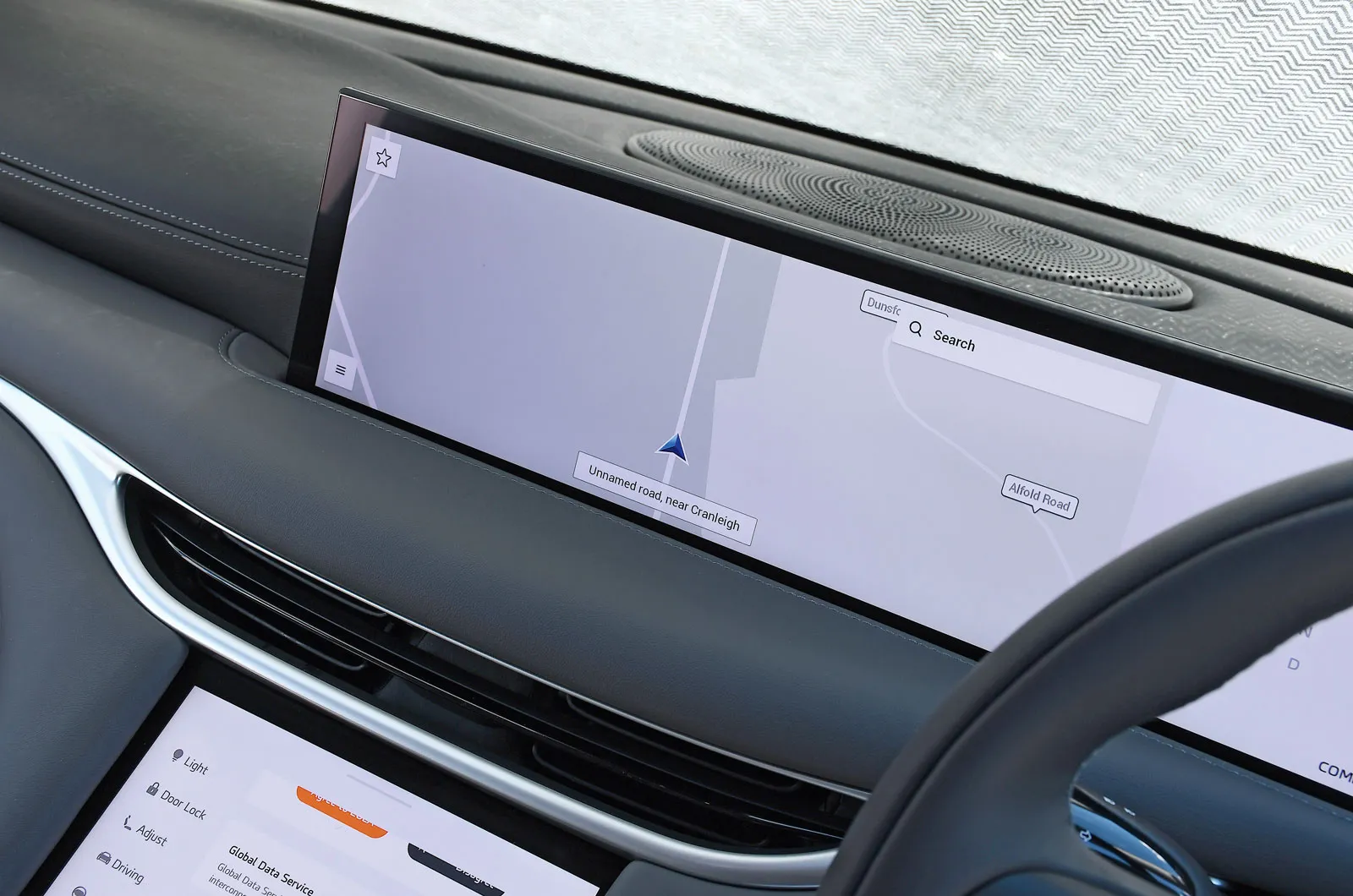
The IM5's system is the most minimalist one we tested; aside from those on the steering wheel, it has no buttons. Instead, it has two touchscreens; the top one is next to the driver's display and in landscape format, plus there's a portrait-orientated 10.5in one below it on the centre console. You have to use the latter to do many things – including adjusting the door mirrors – and its low position means it draws your eyes a long way from the road.
Voice control worked well for the temperature change, but we couldn't get it to activate the heated seats, so we had to do this with two taps on the lower screen.
The radio station change didn't work at all via the voice control, and it was a slog to scroll through the grouped radio listings. The sat-nav was even worse; the voice system didn't recognise our address, and when we painstakingly entered it manually, it still couldn't find the location.
advertisement
scroll for more
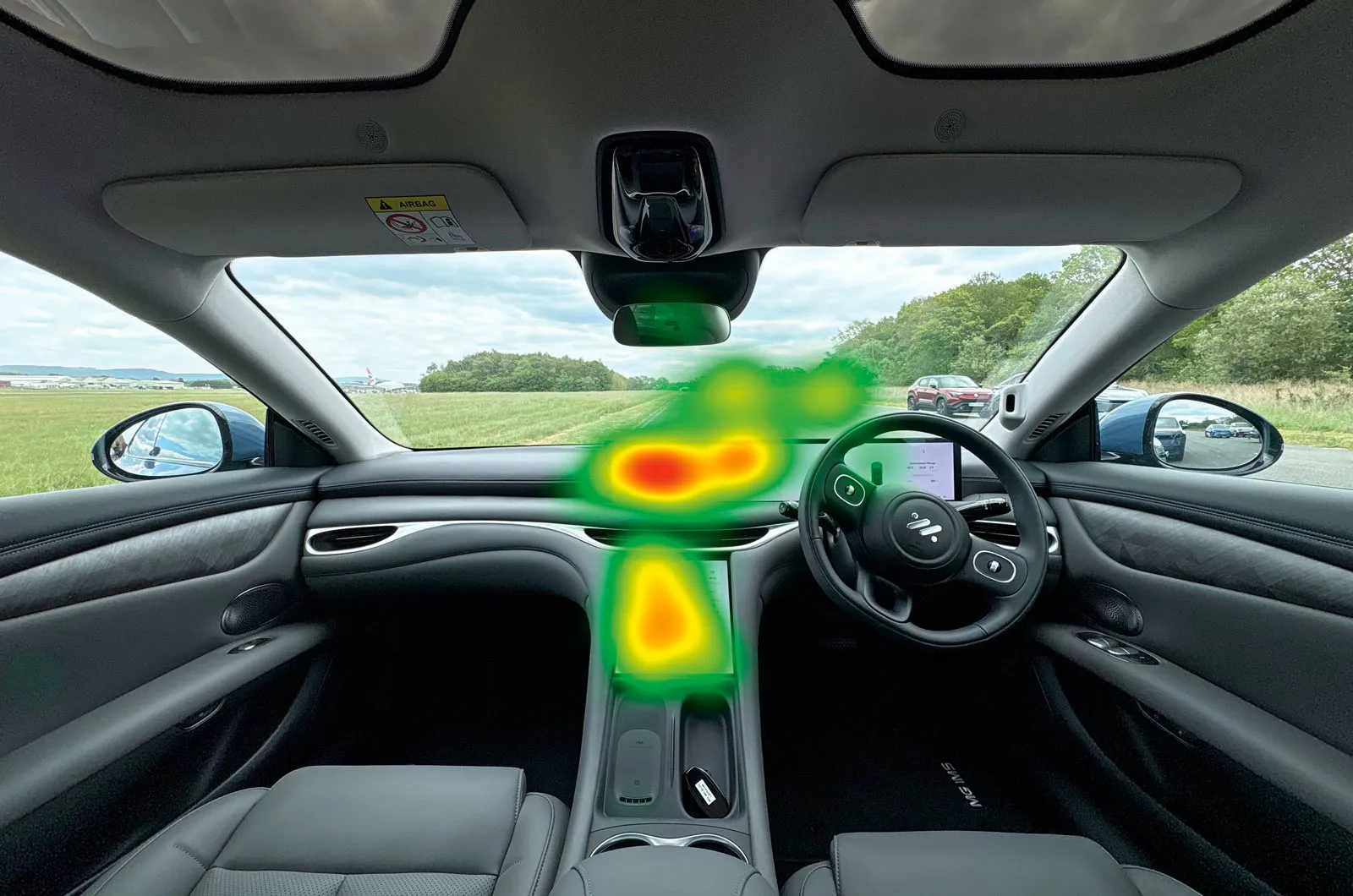
Having two touchscreens to interact with increased the amount of time spent looking away from the road.
20. Suzuki e-Vitara: Integrated Display System
Overall score 1 star
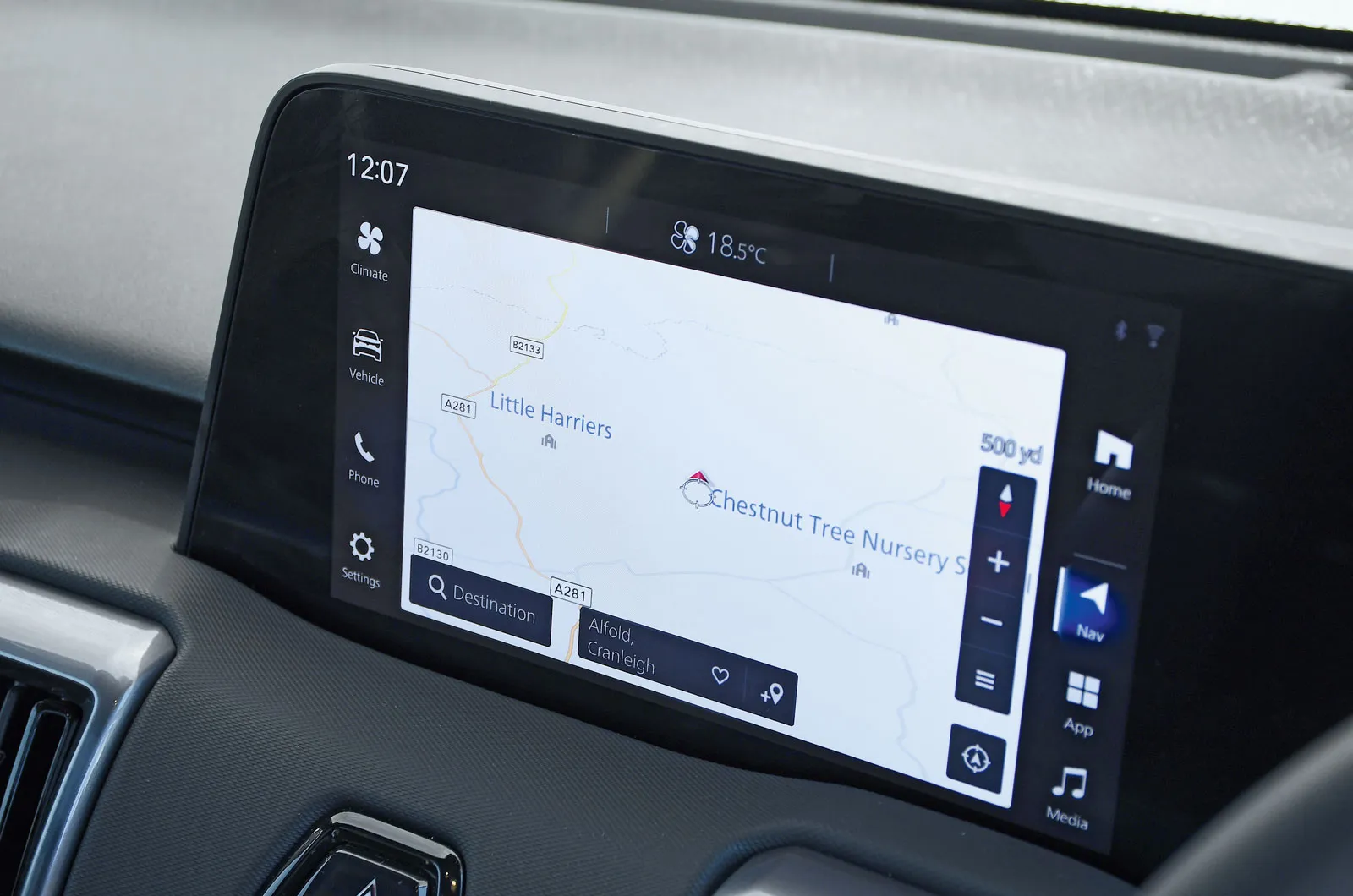
The e-Vitara's screen is the joint smallest on test (10.1in). It has decent graphics, but we found it glitchy and slow to respond to inputs, so we had to expend a lot of mental effort carrying out three of the tasks and were prevented from doing the last one, which brought the overall score down.
The voice control worked well only for turning on the heated seat; this was fortunate, because the task would otherwise have required four taps on the screen. Changing the radio station had to be done via the screen, but this wasn't too arduous, and using the physical button under the screen to alter the temperature was easy.
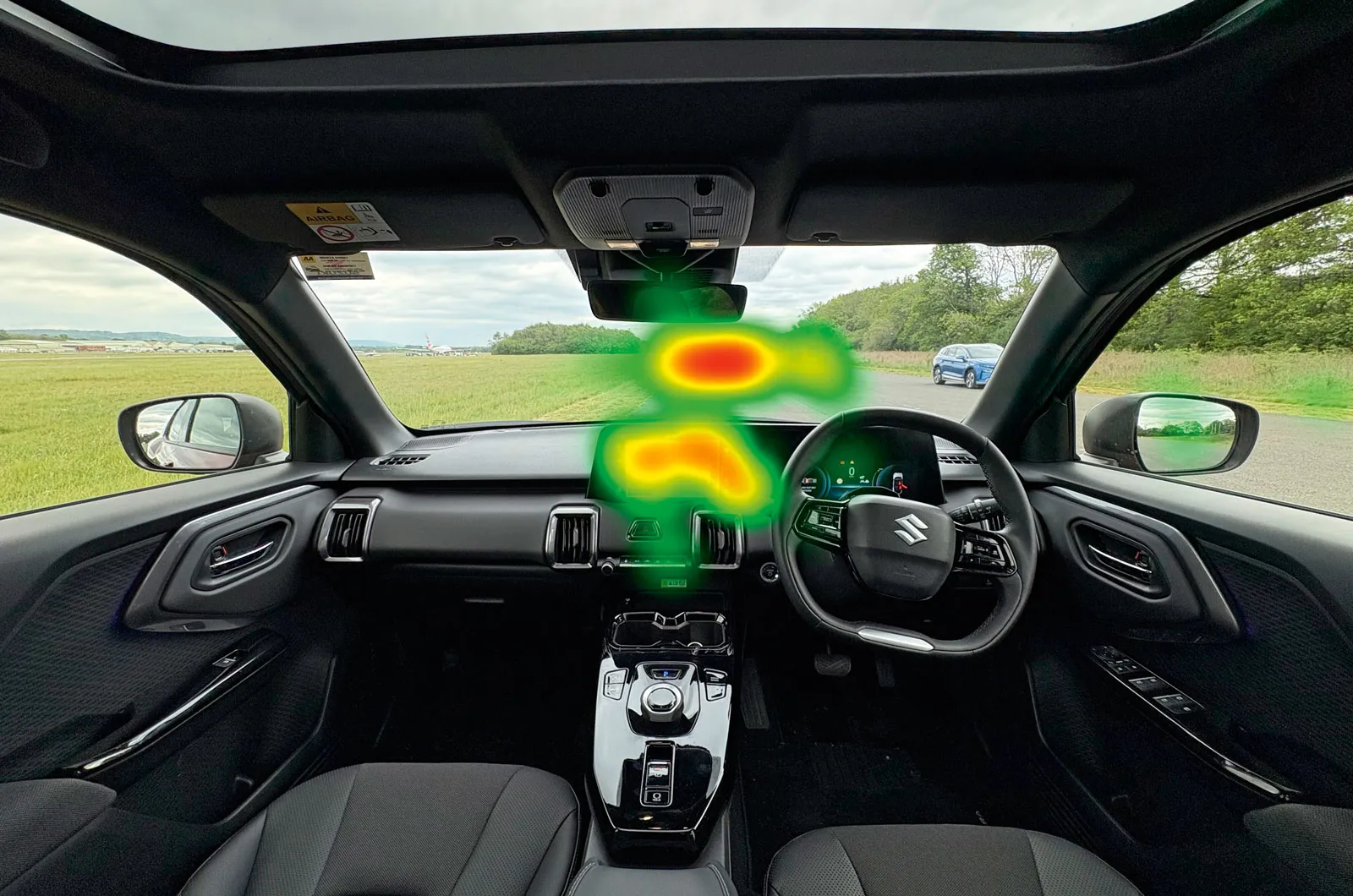
The sat-nav map took a long time to load when we specified our destination verbally, and it didn't come up with the correct address in the list supplied. We weren't able to enter the location manually, either, due to a safety feature that prevents such inputs from being made on the move.
advertisement
scroll for more
We can understand Suzuki's decision to lock-out the sat-nav menu on the move, but it's made irritating by the limitations of the voice control.
21. Honda HR-V: Connect
Overall score 1 star
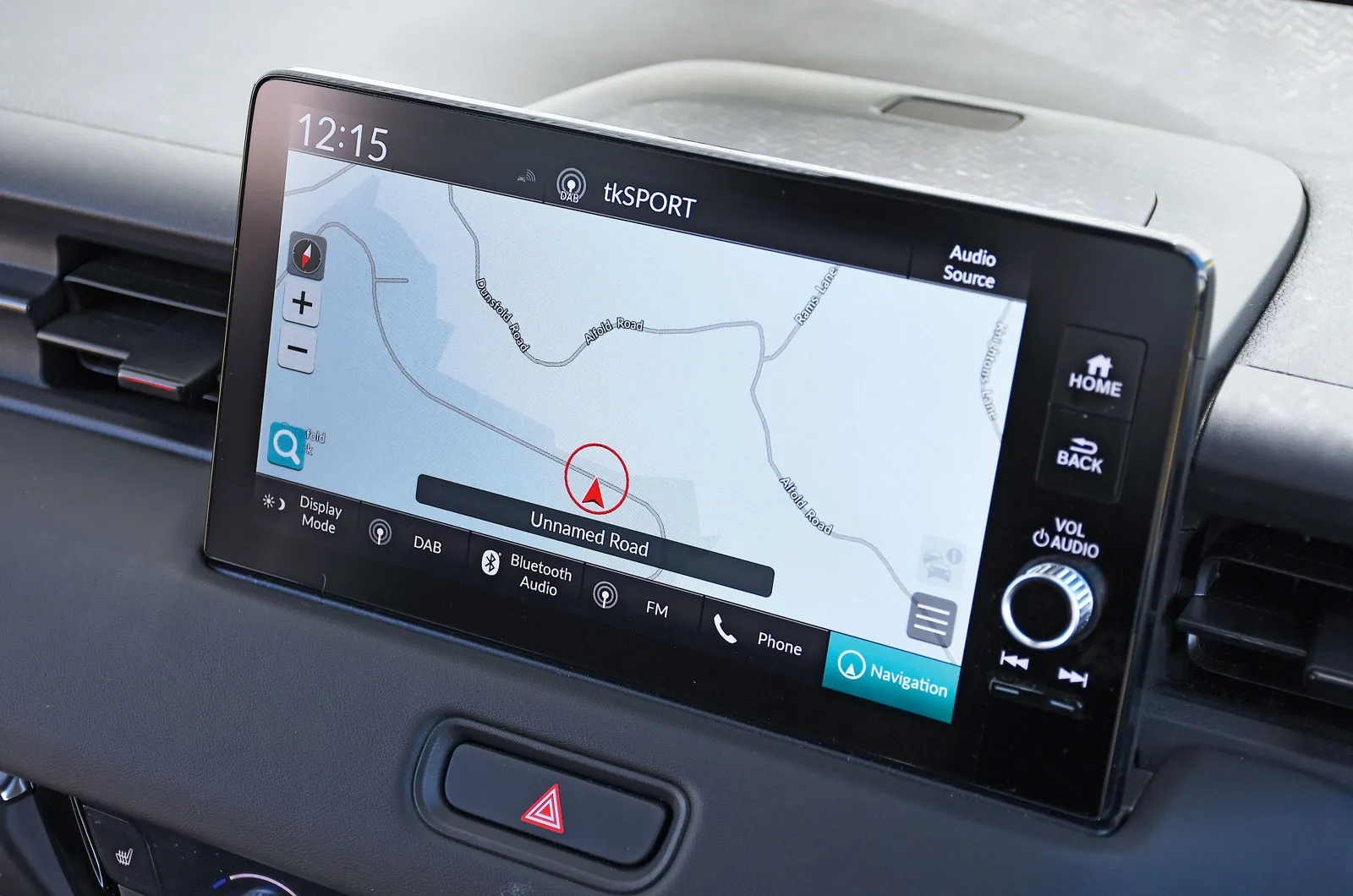
The HR-V's 9.0in touchscreen is not as user-friendly or responsive as the best on test (as can be seen from the high distraction level rating), and its graphics are rather fuzzy.
It's great to have a big, chunky volume button on the infotainment screen close to the steering wheel, and useful to have air-con and heated seat buttons below it. However, the voice control worked only for sat-nav commands, and even then only if you said the correct words; we didn't manage to get it to navigate to our destination.
Changing the radio station proved problematic, too, because it involved navigating through three menus. Although the voice control didn't work for the temperature change and heated seat activation, at least these were pretty easy to change using the physical buttons.
Our testing was done just before Honda introduced an update to improve this infotainment system.
advertisement
scroll for more
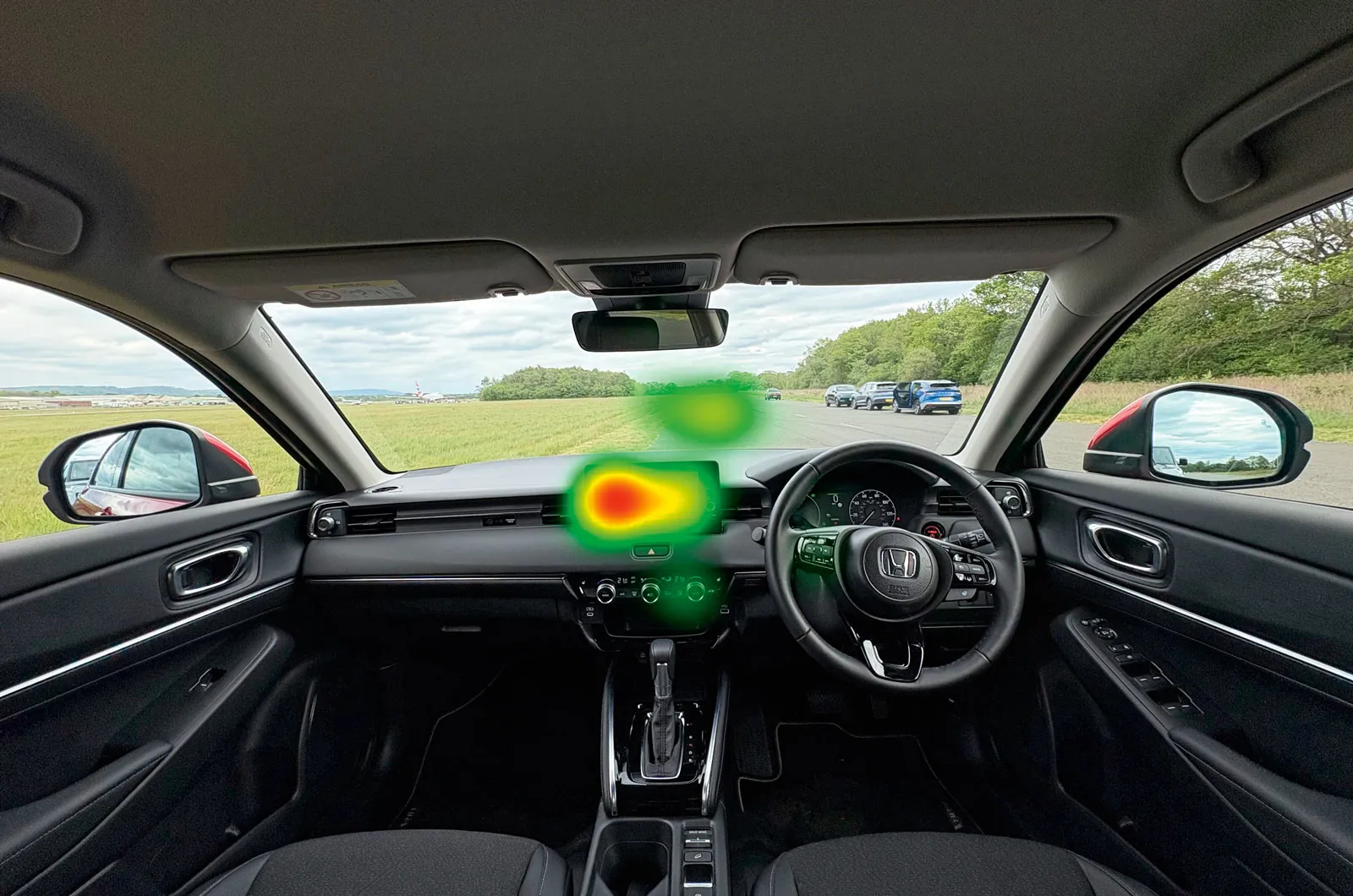
Too much time was spent looking at the infotainment screen, and mental effort was the second highest encountered in our tests.
What Car? verdict
What Car? consumer editor, Claire Evans, said: "Shockingly, only four of the 21 cars tested stayed within a sub-12-second distraction time: the Mercedes-Benz GLB, Mini Cooper, Renault 4 (R4) and Tesla Model Y. These cars' voice control systems are good at interpreting natural speech, and their software can carry out those commands. Only the GLB, Model Y and R4 emerged with a five-star rating, though, by combining good voice control systems with screens that keep distraction to a minimum.
"Some of the cars we tested have either very limited or poor voice control systems, and where these were combined with complicated menus and sluggish screens, the lowest scores were recorded.
"Worryingly, with all four tests, the worst model required 10 times longer to complete the task than the best. The Ford Ranger's and Suzuki e-Vitara's systems are frustratingly slow to respond, and the Honda HR-V's is among several that demand an unacceptably high level of concentration to carry out tasks."
advertisement
scroll for more
How we conducted the tests
To evaluate how distracting the infotainment systems in 21 current car models are while driving, we assessed them with four tests:
- Changing the radio station from Kisstory to Radio 4, both on DAB
- Changing the interior temp from 18deg to 24deg C
- Turning on the driver's side heated seat
- Setting the sat-nav to a specific destination (Staple Hill Car Park, Chobham KT16 0ED)
Voice control should be the least distracting method for the above tasks, requiring the driver to spend the least time looking away from the road, so we tried this first. If a system couldn't be activated with a voice prompt (such as "Hey Google"), we used the manual voice control activation buttons. If the request wasn't successful using voice control, we then switched to using the touchscreen.
While some of the functions tested can be accessed via Android Auto or Apple CarPlay smartphone mirroring, we restricted our testing to the main system fitted to each vehicle.
All tests were performed on a closed track. The driver's gaze and level of distraction were assessed using eye-tracking glasses, measuring how long the driver spent looking away from the road for each task, as well as for all the tasks combined. The glasses also measured how absorbed (and therefore distracted) the driver was by the infotainment system.
advertisement
scroll for more
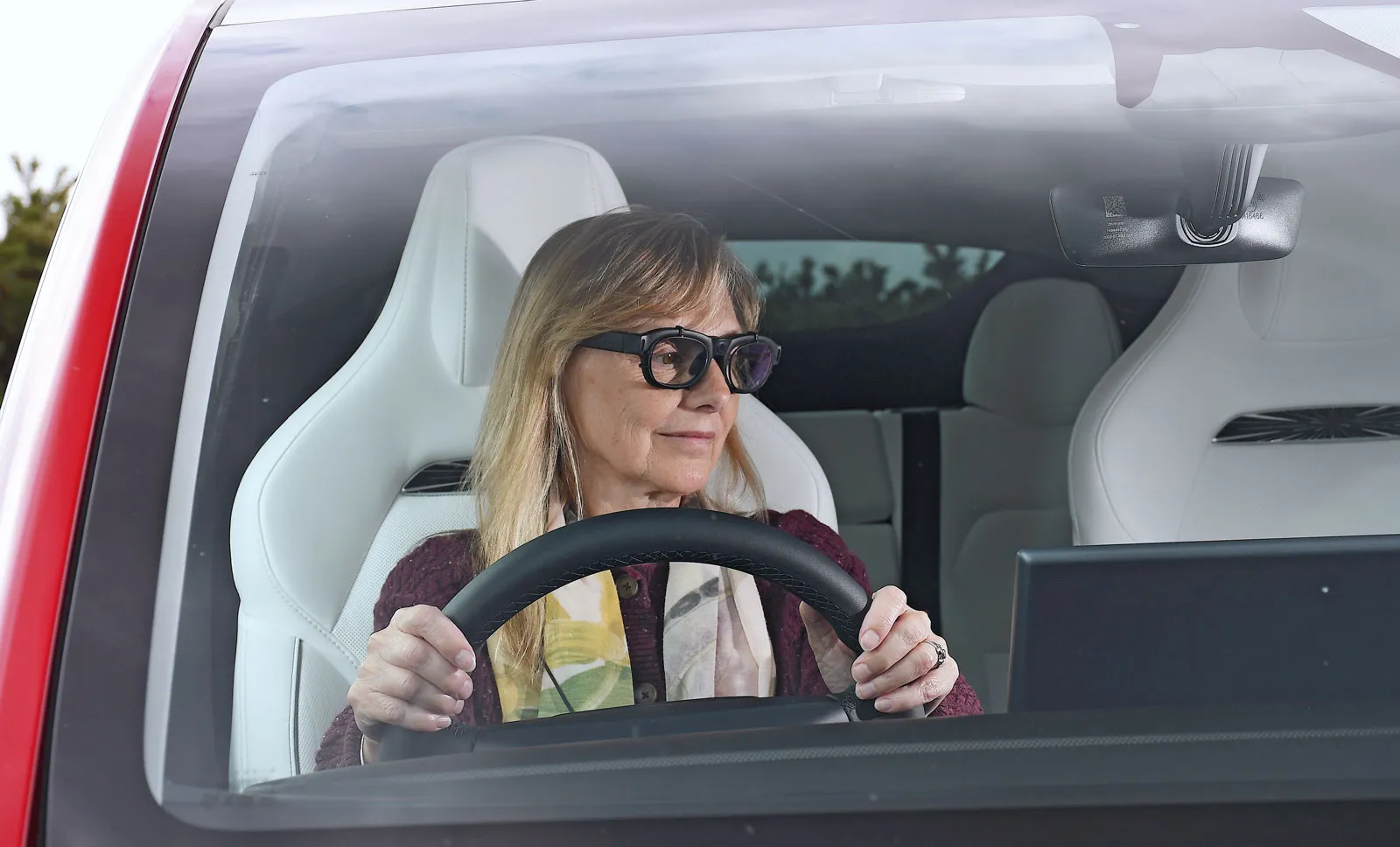
A brief glance at the screen isn't necessarily regarded as distraction, but spells long enough for the screen to have captured the driver's full attention are. The resulting distraction level is rated as low, medium or high.
Mental effort was also measured while performing the four tasks. Again, this is ranked low, medium or high, with the cars with the most demanding systems leaving the driver with less mental bandwidth for dealing with unexpected hazards.
Finally, before deciding on our overall star rating (out of five), we factored in the time taken to complete all of the tasks.
The glasses that track your eyes
For our tests, we used Tobii Glasses 3. These research-grade eye-tracking glasses are designed for the study and recording of human behaviour, capturing exactly where the wearer is looking at all times.
Information is gathered via two tiny cameras embedded into each lens, recording eye orientation, movement and pupil size, while a high-definition, wide-angle video camera in the bridge captures everything in the wearer's field of vision.
advertisement
scroll for more
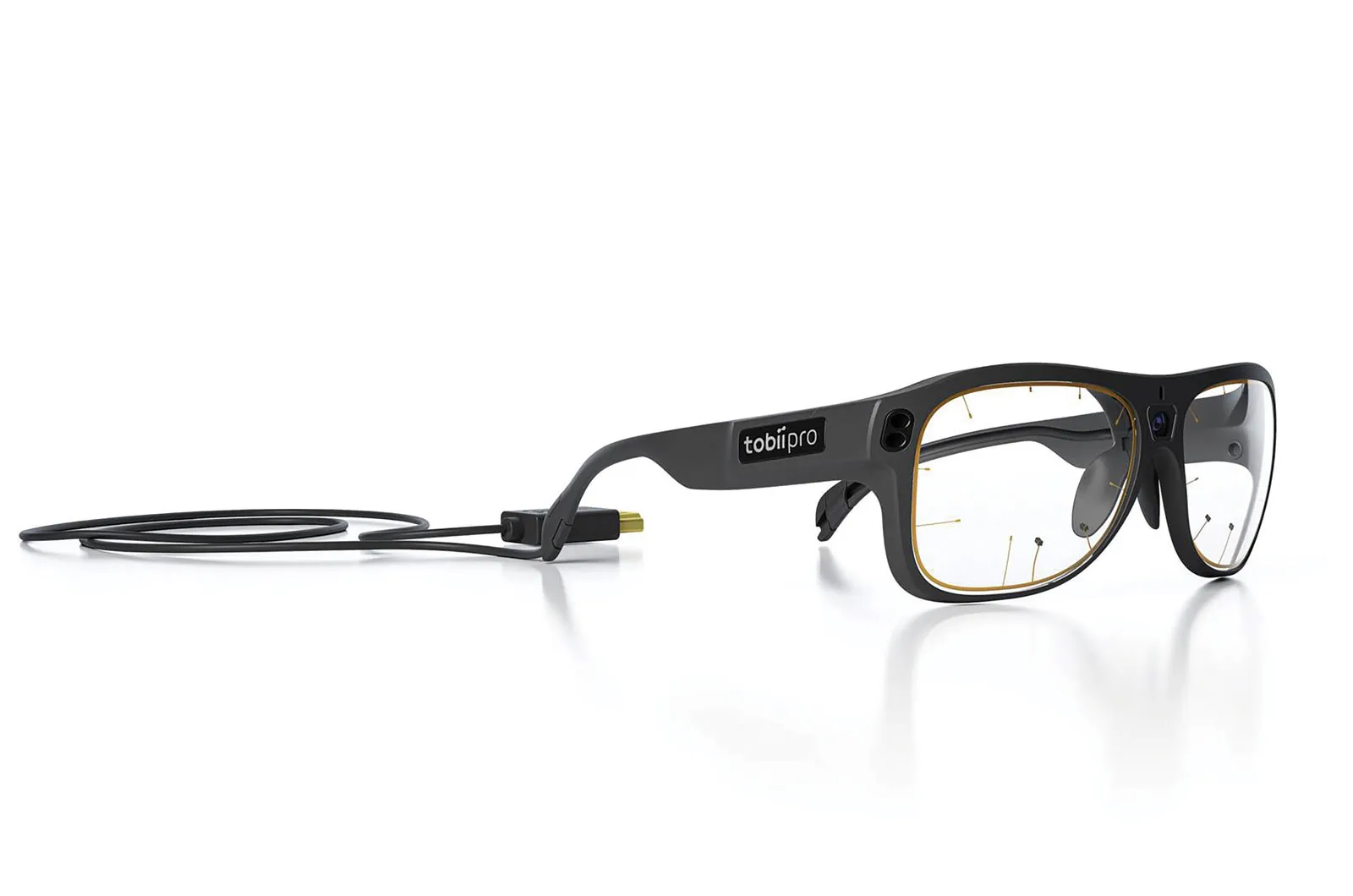
Tobii's software reveals patterns of visual attention, decision-making and behaviour that can be used to turn human attention into measurable data, showing not just what people see, but also how they digest information and what has captured their attention at a given moment.
Eye movement was plotted into a 'heat map' for each car, colour-coded to show where the driver was looking for the longest. Red denotes long periods of gaze at a particular area; green marks where the driver looked for the shortest period of time.
Data from the glasses was also analysed using Soma Reality software. This looks for tiny changes in pupil size and interprets them to measure the driver's cognitive workload and attention levels in real time.
About the report author
Claire Evans has been a motoring journalist for more than 30 years, and has focussed on consumer issues for much of that time. She was the advice columnist for Carweek magazine in the 1990s, helping car owners with faulty cars get the right level of reparation from car makers.
advertisement
scroll for more
She also spent six years working on motoring content for Which?, and it is here she oversaw the running of the charity's annual used car reliability survey.
Claire has been consumer editor for What Car? since 2015, and has reported on a wide range of automotive issues that affect consumers in that time, including reliability, safety and public EV charging networks and home EV charging.
For all the latest reviews, advice and new car deals, sign up to the What Car? newsletter here
Next: The best deals on new cars revealed >>
News and advice
Sponsored
What Car? Reliability Survey: Most and least reliable executive cars
Feature
Polestar 4 long-term test
Sponsored
Best-selling vans in the UK: Electric van sales rise but still miss official targets
News
Deal of the Day: Lease a Leapmotor C10 Hybrid from £186 per month
Best of
Best-selling cars 2026: new car market grows in October
News